


HubSpot Customer Agent is one of the most promising tools inside HubSpot's Breeze AI suite, but most teams that flip the switch without preparation get underwhelming results. Built natively into Service Hub and the Smart CRM, Customer Agent draws on your knowledge base and ticket history to answer routine questions, resolve issues around the clock, and escalate complex cases to humans. The catch: it is only as good as the content, data, and routing logic behind it. If your knowledge base is thin, your CRM data is messy, or your escalation rules are undefined, Customer Agent will surface bad answers at scale. This guide covers what to fix before you activate.
What is HubSpot Customer Agent and How Does It Work?
HubSpot Customer Agent, part of the Breeze AI product family, is an AI-powered support automation tool built directly into Service Hub. It uses your published knowledge base articles and historical ticket data to generate real-time answers, resolve common questions without human intervention, and route more complex issues to the right rep based on rules you define.
Unlike a standalone chatbot bolted onto your help center, Breeze Customer Agent lives inside the HubSpot interface your team already uses. Every conversation is tracked in the Smart CRM, escalations trigger HubSpot workflows, and ticket context follows the handoff. That native integration is what separates it from third-party support bots, but it also means the quality of your CRM data and Service Hub configuration directly determines how well it performs.
Support and RevOps teams use it to:
- Reduce response times without adding headcount
- Handle higher ticket volume during off-hours
- Improve CSAT by giving customers faster, more consistent answers
- Free up reps to focus on complex or high-value cases
Why Do Most HubSpot Customer Agent Setups Underperform?
The most common mistake teams make is treating Customer Agent like a plug-and-play feature. They enable it, point it at a knowledge base with 12 articles, and expect it to resolve tickets. It does not work that way.
Customer Agent does not generate knowledge. It retrieves and surfaces what already exists in your knowledge base. If that content is incomplete, outdated, or written for internal teams rather than customers, the agent will confidently return the wrong answer. We have seen this pattern repeatedly: teams deploy the tool before centralizing their knowledge base, escalation logic is undefined so customers loop through the same unhelpful response, or the agent answers with information that conflicts with what a rep would say.
| AI cannot fix a broken support process. Customer Agent surfaces what exists. |
If your knowledge base is weak, so are its answers.
The ScribeAmerica engagement is a useful reference point here. Their organization spans Business Development, PMO, Operations, IT, and Executive leadership, each team depending on accurate CRM data to do its job. A Customer Agent misconfigured on top of inconsistent data does not just underperform, it surfaces wrong answers to every customer who asks. Getting the data foundation right before activating AI is the same discipline whether you are running support automation or cross-functional reporting.
The fix is not a more advanced configuration. It is doing the foundational work first: auditing your knowledge base, cleaning CRM data, and defining clear escalation paths before the agent ever goes live.
What Should You Fix Before Enabling Customer Agent?
This is the implementation readiness question most HubSpot documentation skips. Before you activate HubSpot Customer Agent, three things need to be in order.
1. Build a Knowledge Base That Maps to How Customers Ask Questions. Customer Agent draws on published knowledge base articles, not internal wikis, not ticket notes, not Slack threads. Your articles need to be organized by topic, written in plain language that mirrors how customers phrase their questions, and kept current. Outdated articles do not just go unanswered, they get surfaced as answers. Audit your existing content, remove anything that conflicts with your current product or process, and fill the gaps your top support topics expose.
2. Map the Customer Journey Touchpoints the Agent Will Own. Before configuration, identify which post-sale touchpoints Customer Agent should handle and which it should escalate. Onboarding questions, billing inquiries, technical troubleshooting, and renewal questions each carry different risk and complexity levels. Defining this boundary in advance prevents the agent from attempting to resolve issues it is not equipped to handle and ensures customers reach the right human when escalation is necessary.
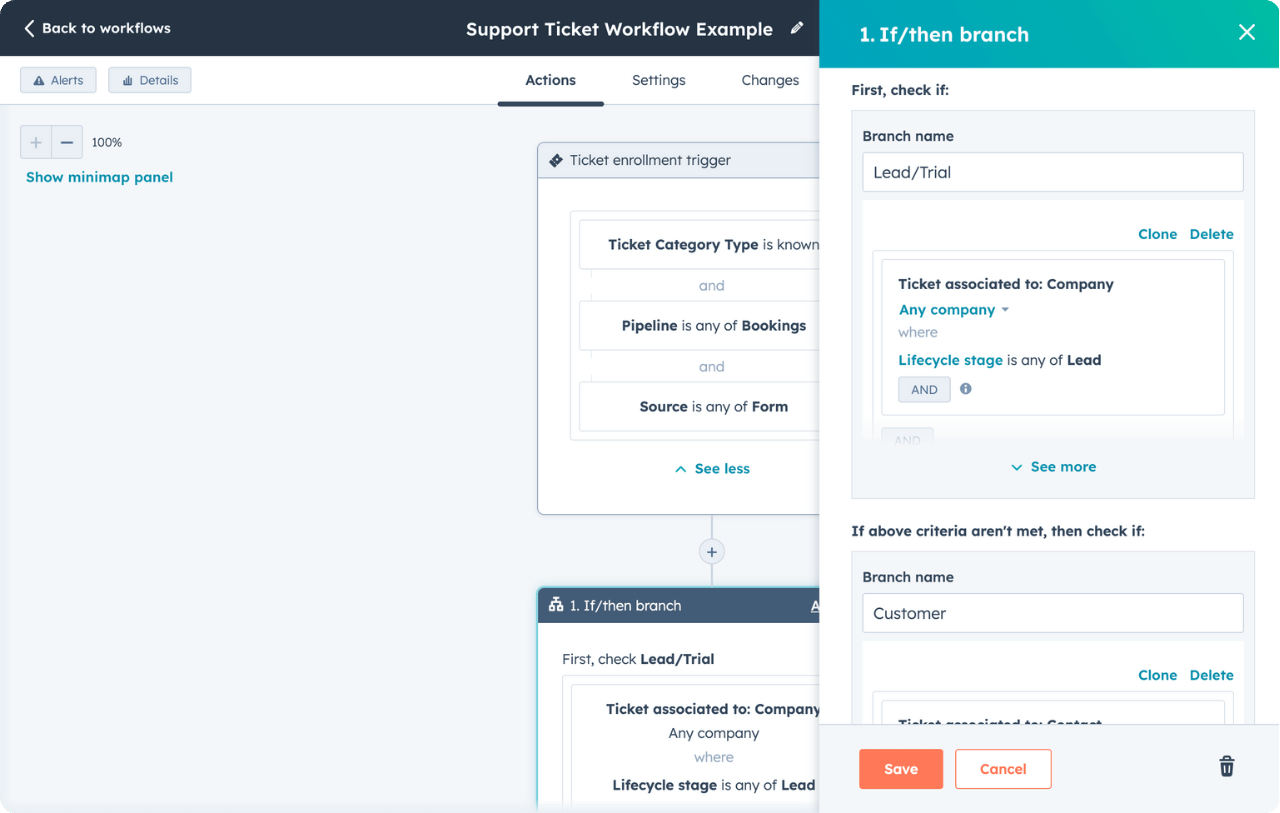
3. Define Escalation Rules With Context Preserved. The handoff from Customer Agent to a human rep is where most setups break down. Escalation rules should trigger on confidence thresholds, specific phrases, or customer segment conditions. More importantly, ticket properties, conversation history, and CRM data should follow the handoff so the rep receiving the ticket has full context and does not ask the customer to repeat themselves. HubSpot workflows can automate the notification and routing, but the logic has to be defined before the agent is live.
How Do You Use Customer Agent Strategically Across Your GTM Motion?
Customer Agent is not only a support deflection tool. When it is configured correctly, it functions as a customer experience multiplier across the post-sale journey.
For Support Teams: Resolves FAQs, deflects simple tickets, and gives reps more time to focus on complex cases that require judgment or relationship management.
For Customer Success Teams: Surfaces onboarding materials and product documentation in real time, accelerating time-to-value without requiring a CSM to manually answer every question.
For RevOps Teams: Adds measurability and consistency to support delivery. Every interaction is tracked in the Smart CRM, making it possible to report on deflection rates, escalation patterns, and knowledge base gaps.
In verticals like SaaS, healthcare, and logistics where high-touch support is the standard expectation, Customer Agent lets you scale that experience without a proportional increase in headcount. The teams that get the most out of it treat it as infrastructure, not a feature they activated.
For teams also using AI to support content and prospecting workflows, the HubSpot Content Agent is the natural complement on the marketing side of the same Breeze platform.
| Customer Agent is infrastructure, not a feature. Teams that treat it that way see compounding efficiency gains over time. |
What Are the Tactical Setup Steps for HubSpot Customer Agent?
Once your foundation is in order, the configuration process follows a consistent pattern for teams that want to get it right from the start.
- Audit your knowledge base: Remove outdated articles and fill content gaps for your highest-volume support topics
- Tag resolved tickets by topic: This helps Customer Agent learn from historical issue patterns and improves response relevance over time
- Define handoff triggers: Set confidence thresholds or specific phrases that route conversations to a human rep
- Preserve context in escalations: Ensure ticket properties and conversation history follow the handoff so reps are not starting from zero
- Use workflows to notify teams: Alert service reps automatically when Customer Agent escalates an issue
- Add a feedback mechanism: A simple thumbs up or down on Customer Agent responses generates quality signals you can act on weekly
- Test, review, and iterate: Schedule weekly review sessions in the first month to catch response quality issues before they compound
The teams that see the strongest results from Breeze Customer Agent treat the first 30 to 60 days as an active tuning period, not a set-it-and-forget-it deployment.
What Impact Does Customer Agent Have at Scale?
For fast-growing teams, the compounding effect of a well-configured Customer Agent is significant. As ticket volume increases, the agent absorbs routine inquiries without adding to rep workload. Response times improve because customers get answers immediately rather than waiting for the next available agent. CSAT improves because the experience is consistent. And reps spend their time on the cases that benefit most from human judgment.
The measurability is also worth noting. Because every Customer Agent interaction is tracked inside HubSpot, you can report on deflection rates, identify knowledge base gaps by topic, and tie support efficiency directly to CRM data. That visibility is what makes the tool valuable to RevOps, not just the support team.
Customer Agent is especially valuable for organizations that need to protect service quality while scaling headcount slowly. When the foundation is right, it does not just reduce costs. It raises the floor on the customer experience across every interaction.
Frequently Asked Questions
Q: What is HubSpot Customer Agent and How Does It Work?
A: HubSpot Customer Agent is an AI-powered support automation tool built into Service Hub as part of the Breeze AI product family. It uses your published knowledge base articles and historical ticket data to generate real-time answers, resolve routine questions without human involvement, and escalate more complex issues to a rep based on rules you define. Every interaction is tracked in the Smart CRM and escalations can trigger HubSpot workflows automatically.
Q: Does HubSpot Customer Agent Work Without a Populated Knowledge Base?
A: No. Customer Agent does not generate answers from scratch. Its response quality depends entirely on the content published in your HubSpot knowledge base. Deploying it before auditing and filling knowledge base gaps is the most common setup mistake, and it results in the agent surfacing outdated or incorrect information at scale.
Q: How Do You Set up Escalation Rules in HubSpot Customer Agent?
A: Escalation rules are configured inside HubSpot using confidence thresholds, trigger phrases, or customer segment conditions. When a conversation matches those conditions, Customer Agent hands the ticket off to a human rep. The handoff should preserve ticket properties and conversation history so the rep has full context. HubSpot workflows can then notify your team automatically when an escalation occurs.
Q: What is the Difference Between Breeze Customer Agent and a Standard HubSpot Chatbot?
A: A standard HubSpot chatbot follows a scripted decision tree and responds based on predefined rules. Breeze Customer Agent uses AI to interpret customer questions and generate answers from your knowledge base content, making it capable of handling a much wider range of inquiries without manual scripting. The tradeoff is that it requires a stronger content and data foundation to perform well.
Q: Which HubSpot Plan Includes Customer Agent?
A: HubSpot Customer Agent is available through Service Hub. Feature depth and availability vary by plan tier. Contact HubSpot directly or work with a HubSpot solutions partner to confirm which tier fits your support volume and automation requirements.
For a broader look at how AI fits across your HubSpot portal, from prospecting to support, visit our AI for HubSpot overview.
Ready to configure HubSpot Customer Agent the right way in your portal? Talk with our team.