AI for HubSpot: Workflows That Scale Revenue Teams
How modern revenue teams operationalize AI inside HubSpot
This page outlines practical AI workflows that can be built directly inside HubSpot. For a more streamlined, step-by-step version of these workflows, download the HubSpot AI Cookbook, which packages these use cases into clear, outcome-focused recipes teams can implement quickly.
AI Workflows for HubSpot:
AI Readiness
Smart Prospecting
Marketing Handoff
Sales Handoff
Service Handoff
Customer Engagement
Support Intelligence
Revenue Expansion
Event Targeting
Preparing Your HubSpot Portal for AI
What needs to be in place before AI can run reliably inside HubSpot.
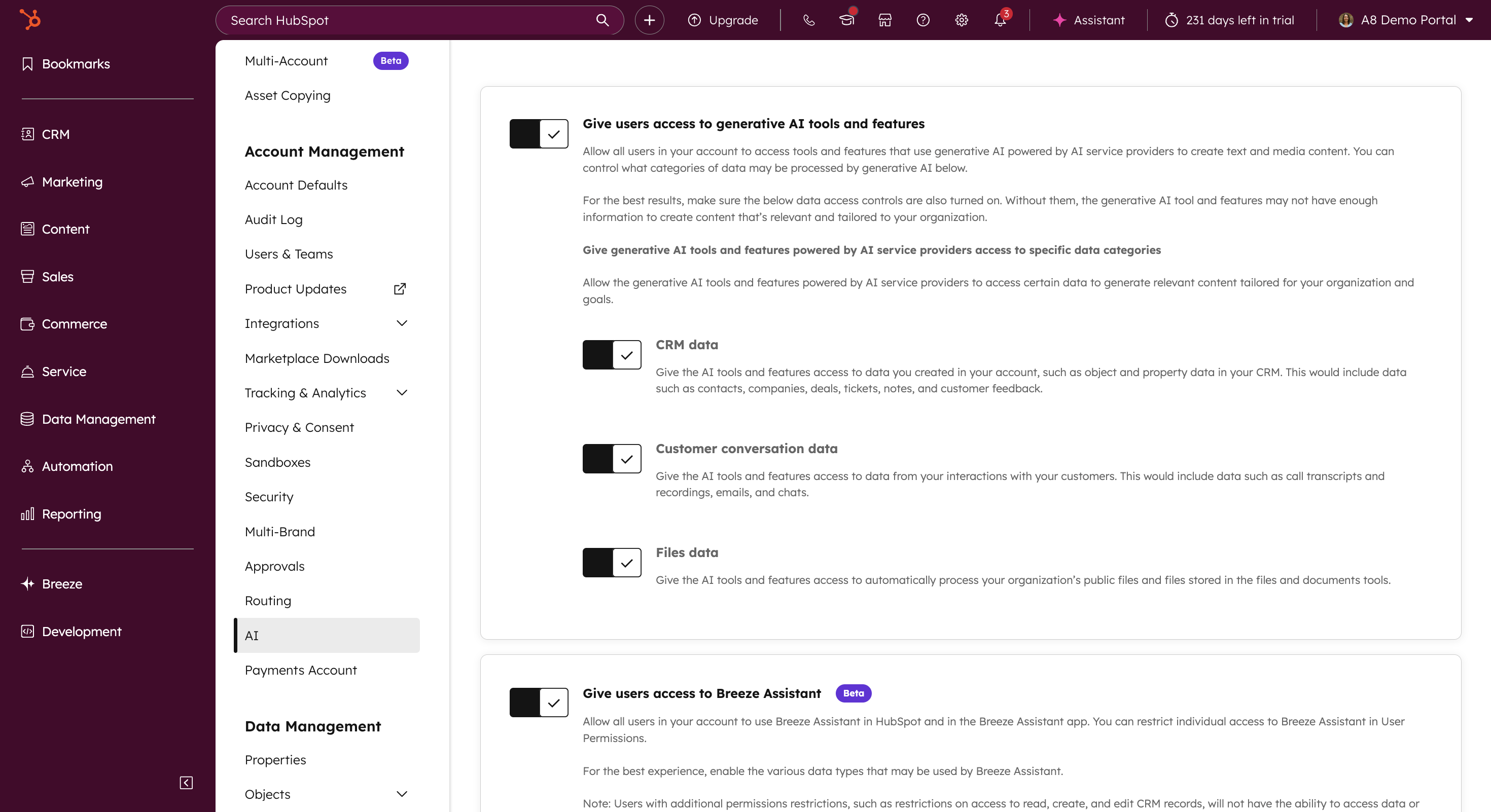
AI in HubSpot is only as reliable as the foundation it runs on. Before introducing agents, assistants, scoring models, or AI-driven workflows, the portal must be configured correctly, from permissions and system limits to data structure and integrations.
This workflow ensures HubSpot is ready for AI to operate consistently, securely, and at scale. It reduces the risk of incomplete outputs, inaccurate recommendations, and downstream rework by validating the systems AI depends on before activation.
Who this workflow is built for:
Teams beginning to implement AI inside HubSpot
Organizations using HubSpot across multiple teams or functions
Teams with integrations, custom objects, or complex workflows
Leaders who want AI outputs they can trust for operational decisions
Core components used in this workflow
Settings and AI permissions
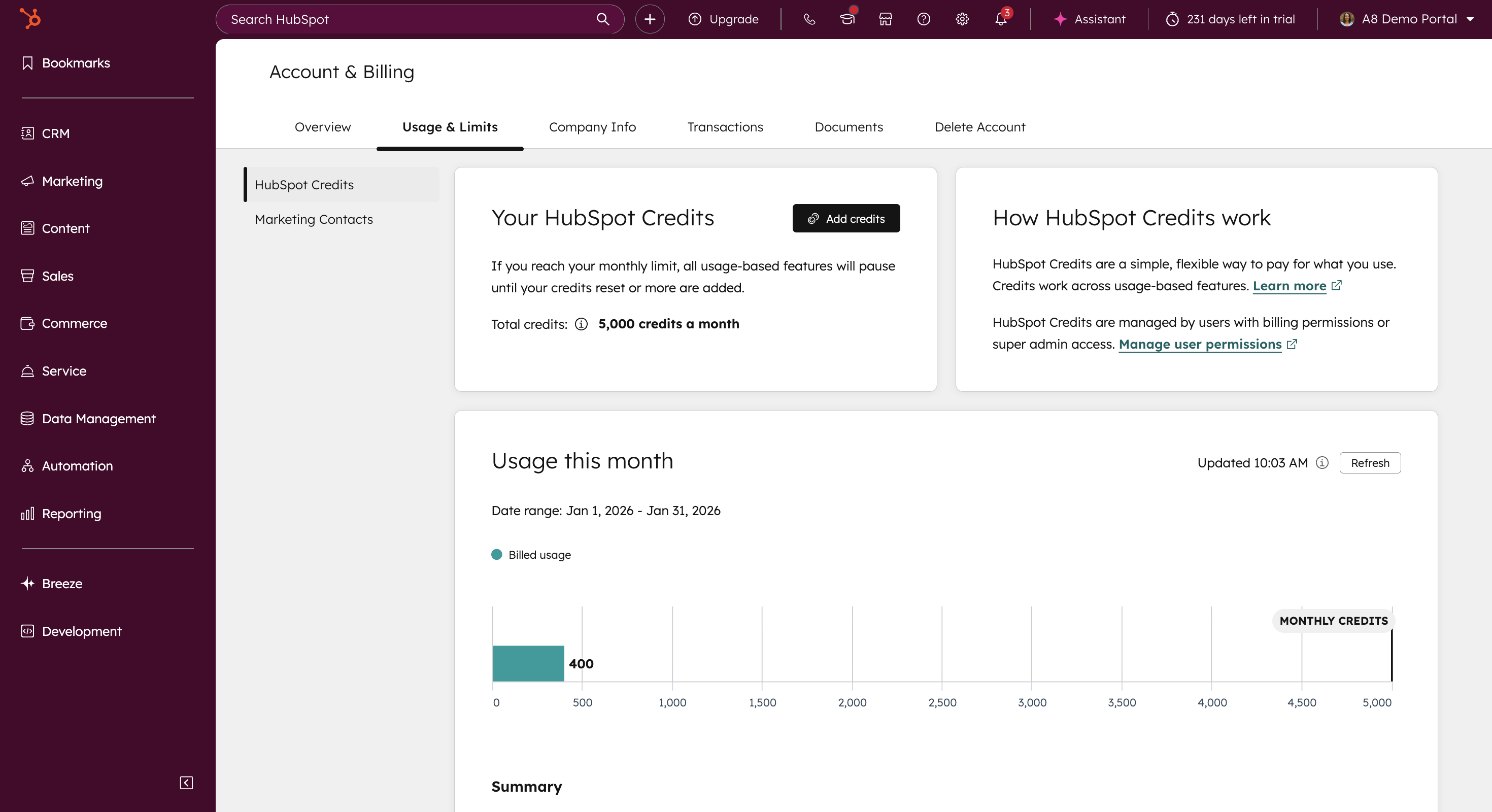
System limits review
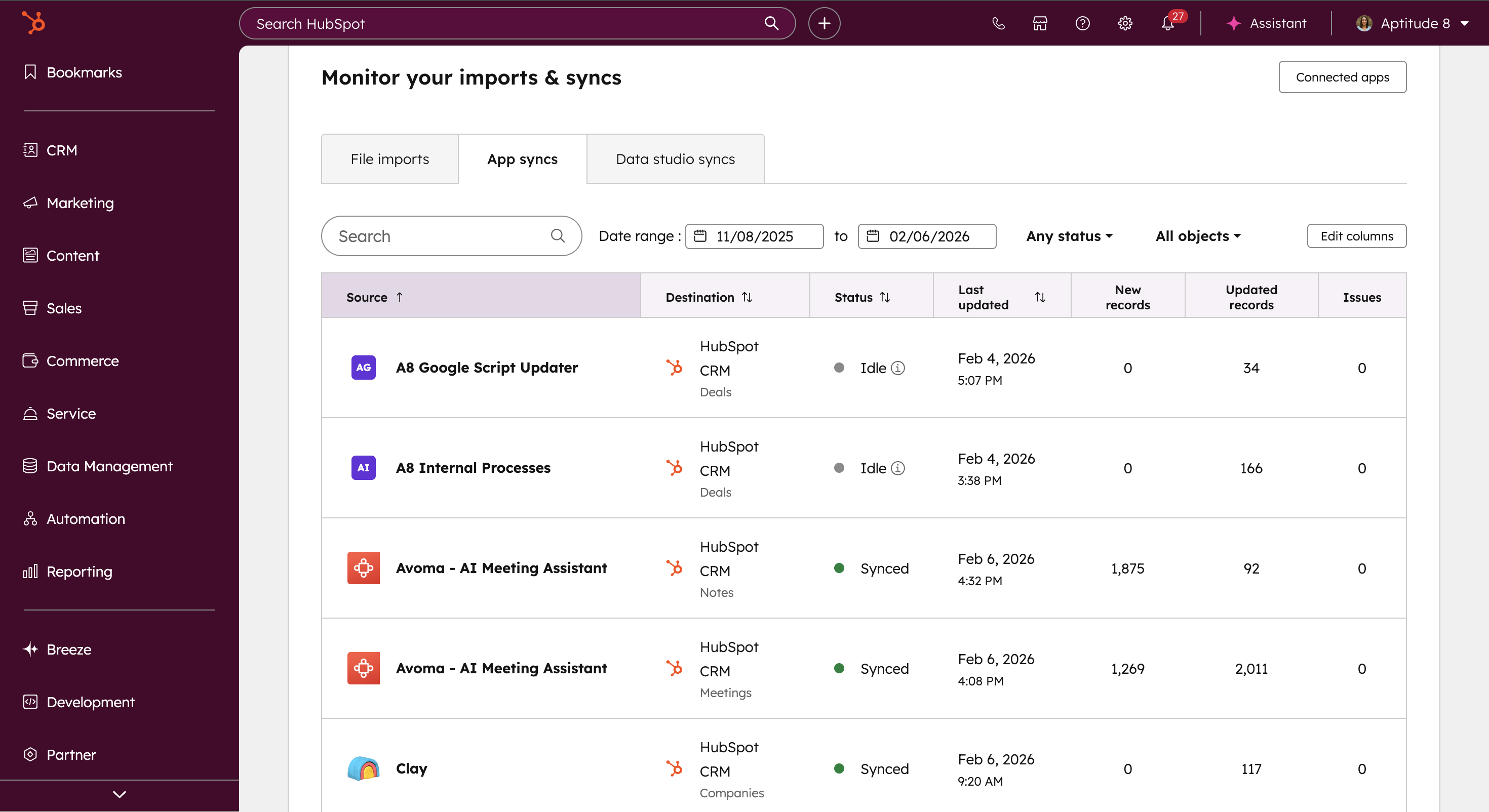
Data sources audit
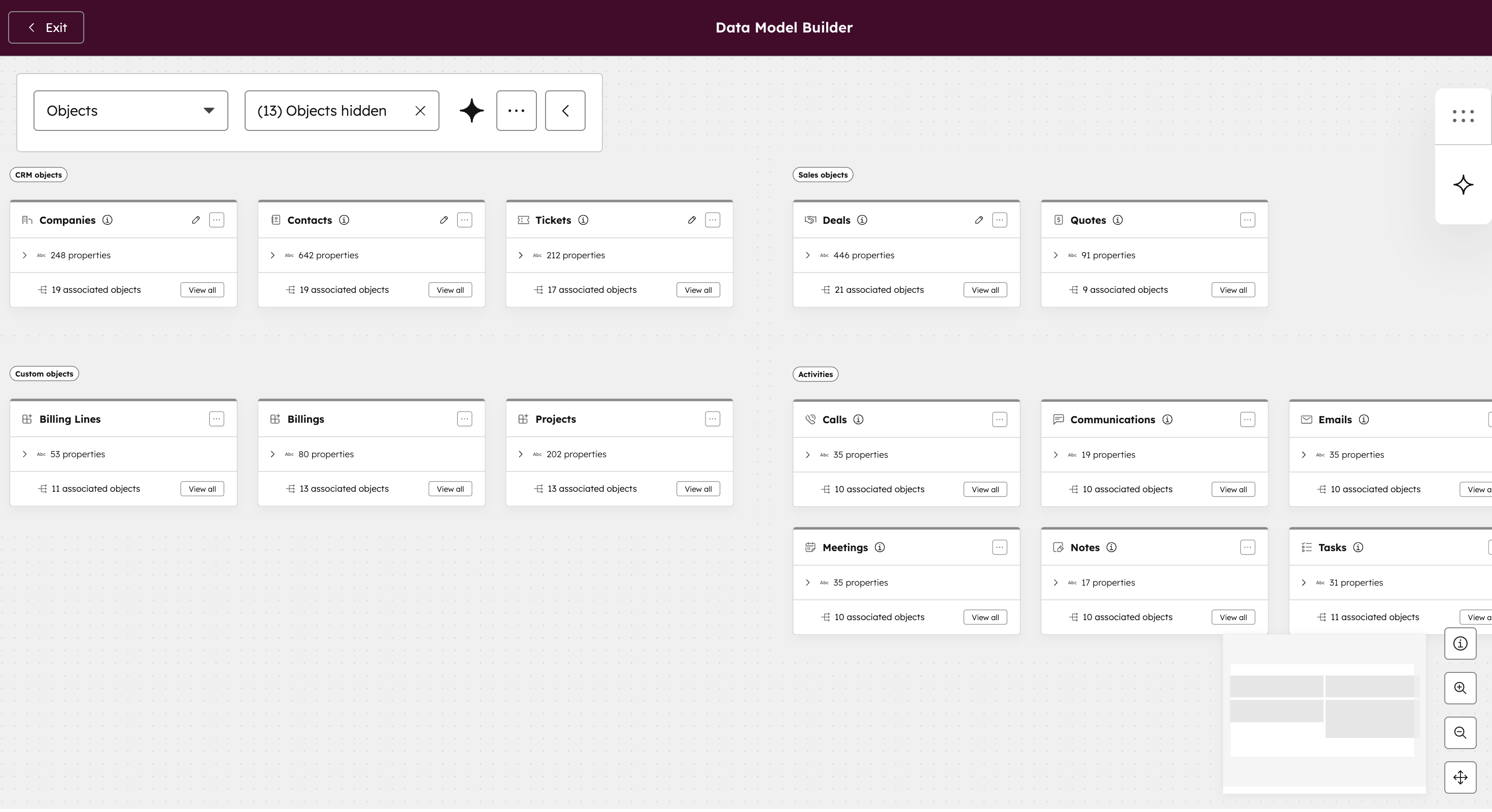
Data model audit
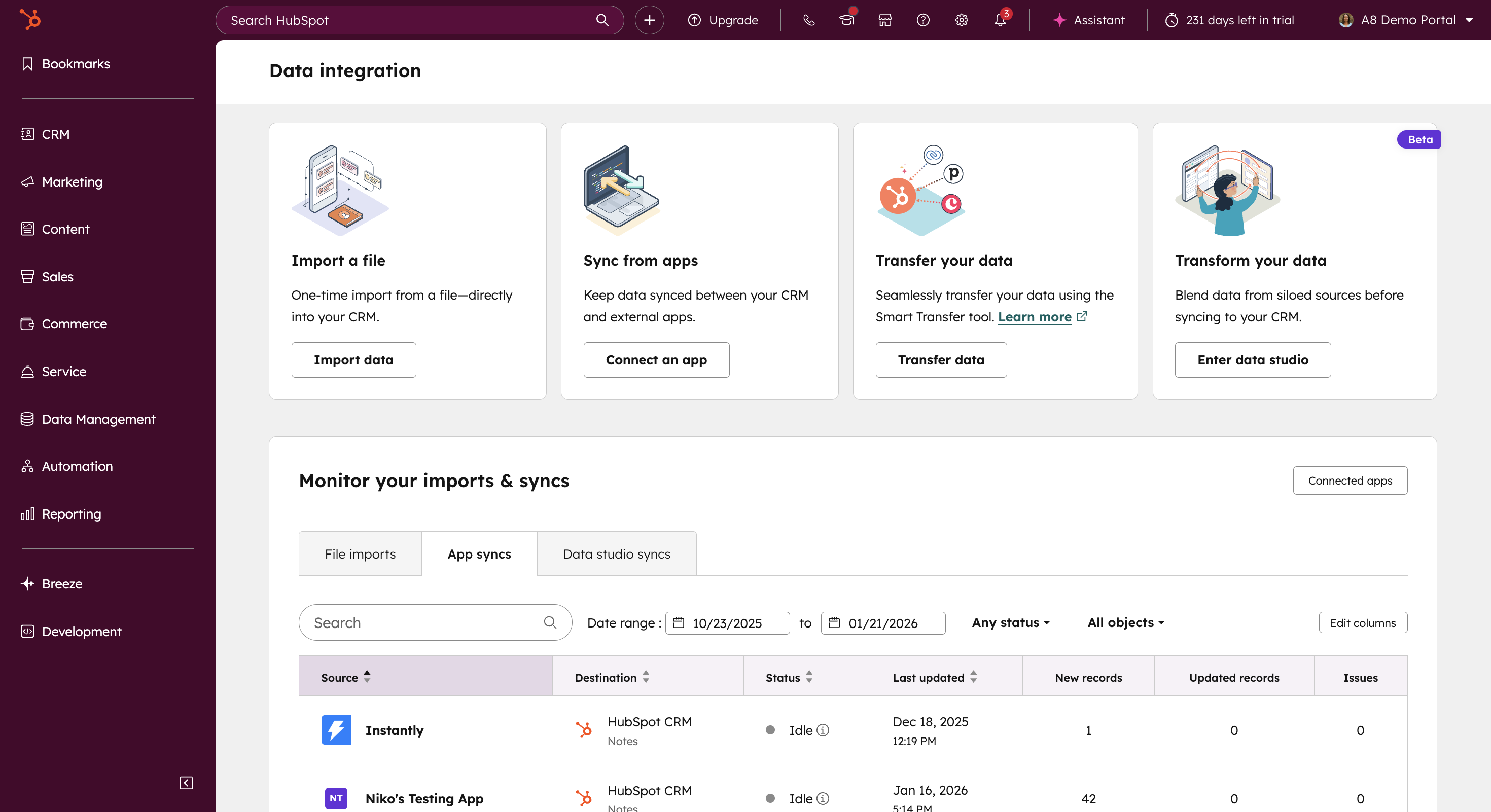
Integration audit
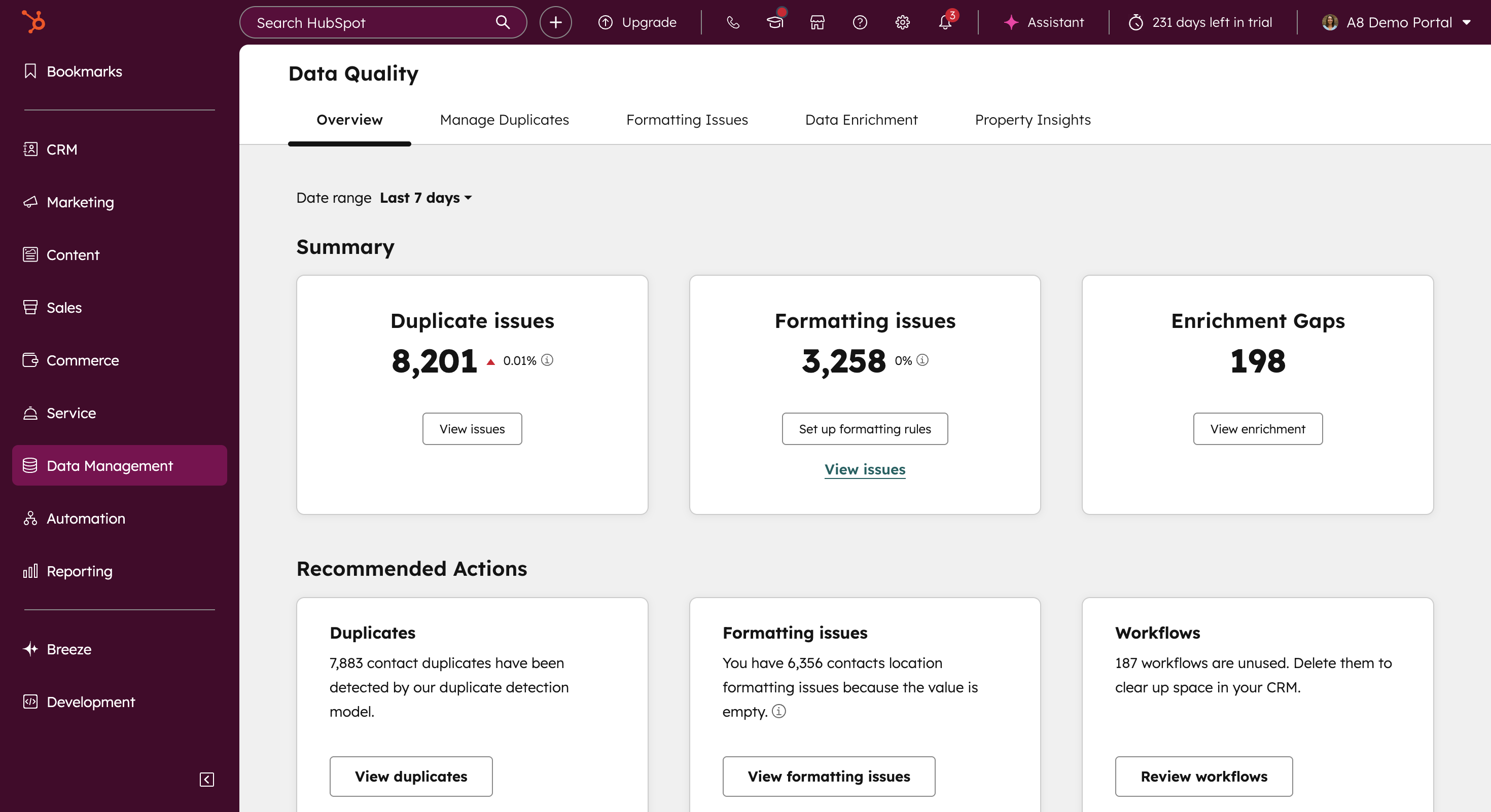
Data quality and hygiene review
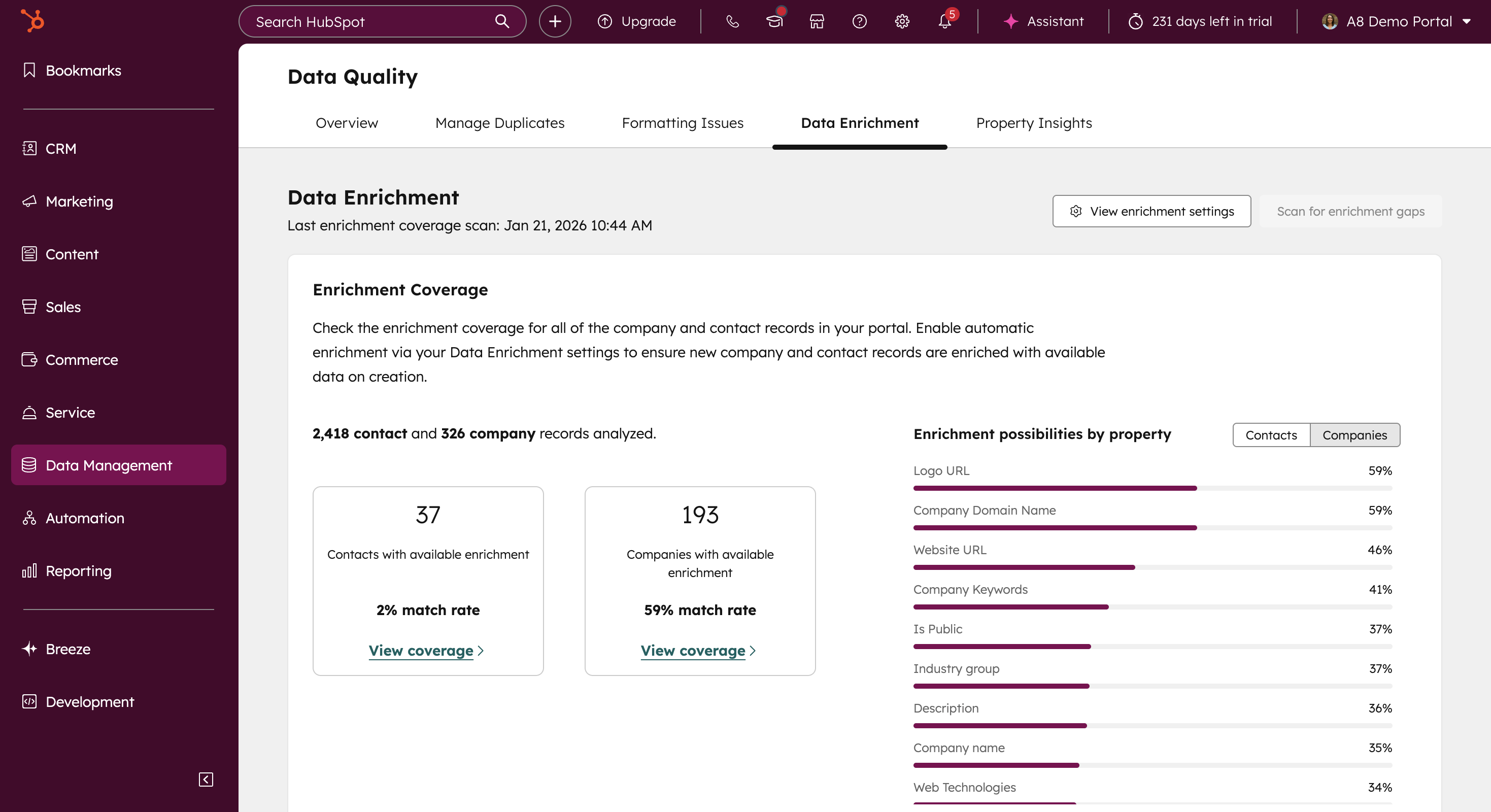
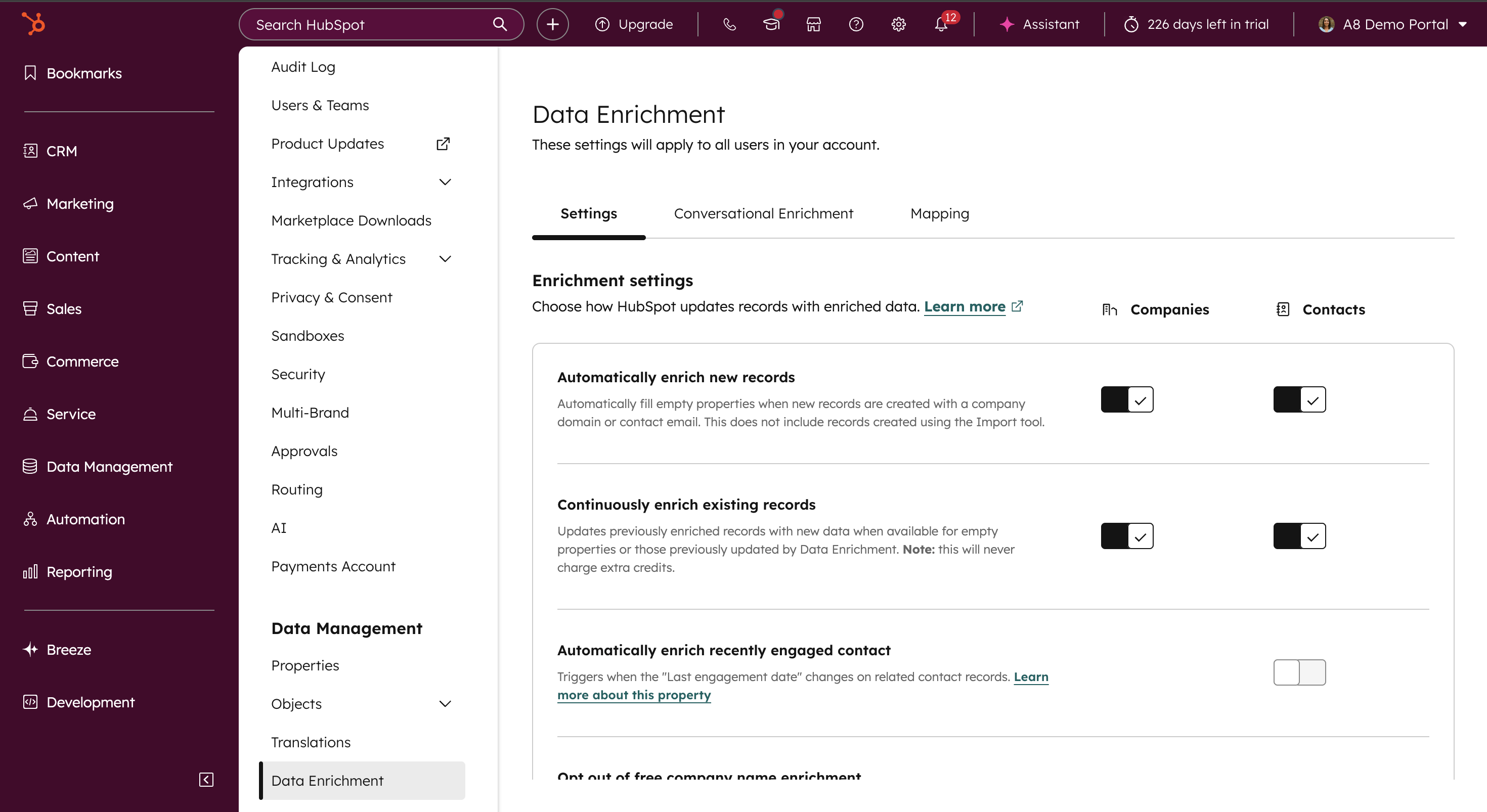
Record enrichment strategy
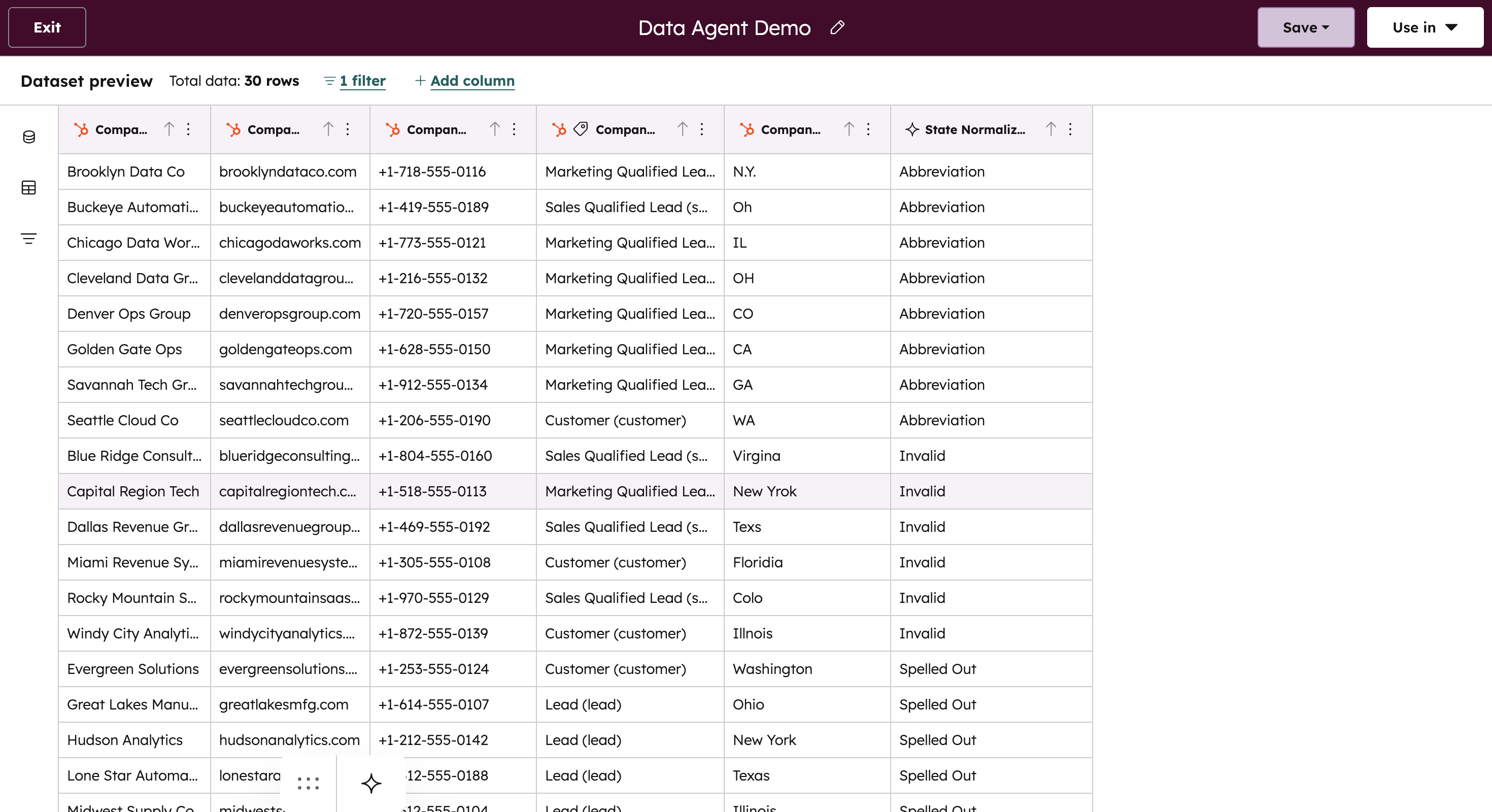
Ongoing monitoring with a Data Agent
AI Readiness Outcomes This Workflow Delivers
A stable foundation for AI-driven execution
When implemented correctly, this workflow prevents incomplete outputs, conflicting recommendations, and silent data issues before they impact your teams. AI runs with the correct permissions, structured data, reliable integrations, and room to scale.
The result is faster AI implementation, fewer surprises after launch, and long-term confidence in AI-driven workflows across sales, marketing, and service.
How This Workflow Works in HubSpot
Configure AI Settings and Permissions
Review and enable required AI permissions at both the account and user level.
Audit Super Admin access and reduce unnecessary elevated permissions.
Establish controlled access so AI tools are available to the right users without overexposure.
Outcome: AI features are activated intentionally, with proper governance and access controls in place before use.
Review System Limits and Capacity
Assess current usage across workflows, custom objects, properties, and automation.
Identify areas nearing HubSpot system limits that could restrict AI-driven workflows.
Ensure sufficient capacity to introduce AI without triggering performance issues or hard limits.
Outcome: AI workflows are introduced with room to scale, avoiding operational slowdowns or system constraints later.
Audit Data Sources Feeding HubSpot
Identify all data inputs feeding HubSpot, including native tools, integrations, external systems, and documented processes.
Confirm data availability, completeness, and freshness across CRM and non-CRM sources.
Surface gaps before AI models or assistants rely on missing or inconsistent inputs.
Outcome: AI operates on complete, accurate, and up-to-date information rather than partial or outdated data.
Review and Clarify the Data Model
Examine how objects, properties, and associations are structured inside HubSpot.
Validate that relationships between records are clearly defined and consistently used.
Reduce structural issues that can distort AI summaries, scoring, and recommendations.
Outcome: AI interprets records with proper context, improving the accuracy of insights and automation decisions.
Auditing Integrations and Resolving Issues
Review integration performance to identify sync errors, delays, or mismatched field mappings.
Confirm data flows correctly between HubSpot and connected systems AI depends on.
Resolve inconsistencies so downstream AI workflows aren’t working from conflicting records.
Outcome: AI insights are based on reliable, continuously synced data across systems, not broken or delayed integrations.
Strengthen Data Quality and Standardization
Review existing HubSpot data quality tools, rules, and validation processes.
Identify inconsistencies in naming conventions, required fields, and property usage.
Use agent-based analysis to surface deeper issues that traditional validation rules may miss.
Outcome: Cleaner, standardized data improves the accuracy of AI summaries, scoring, and recommendations.
Enrich Records to Fill Data Gaps
Identify missing firmographic, technographic, and behavioral data across key records.
Apply enrichment strategically to strengthen signals AI uses for evaluation and automation.
Prioritize enrichment in areas that directly impact decision-making workflows.
Outcome: AI operates with fuller context, producing more relevant and actionable outputs.
Monitoring Data with a Data Agent
Implement ongoing monitoring of data health rather than treating readiness as a one-time audit.
Detect new issues early as teams, systems, and automation scale.
Surface emerging risks before they impact AI workflows or reporting accuracy.
Outcome: AI reliability is maintained over time as the portal evolves and usage increases.
Ready to prepare your HubSpot portal for AI?
See how teams validate data, permissions, and system readiness before launching AI use cases and how this foundation supports everything that comes next.
Smart Prospecting with AI in HubSpot
How teams identify, prioritize, and engage the right prospects using AI
Strong pipeline doesn’t start with outreach, it starts with preparation. Like any good recipe, prospecting works best when the ingredients are ready before you begin. When teams rush straight to outreach, they’re often working with incomplete inputs and unpredictable results.
This recipe brings the right signals together inside HubSpot by combining research, CRM data, and engagement context. The result is a more deliberate prospecting motion that helps teams identify the right accounts, prioritize and manage the right contacts, activate informed outreach, and build pipeline with intention.
Who this workflow is built for:
Rely on outbound or mixed inbound/outbound prospecting
Struggle to prioritize accounts and contacts at scale
Want prospecting decisions driven by data, not guesswork
Need alignment between marketing, sales, and GTM data
Core components used in this workflow:
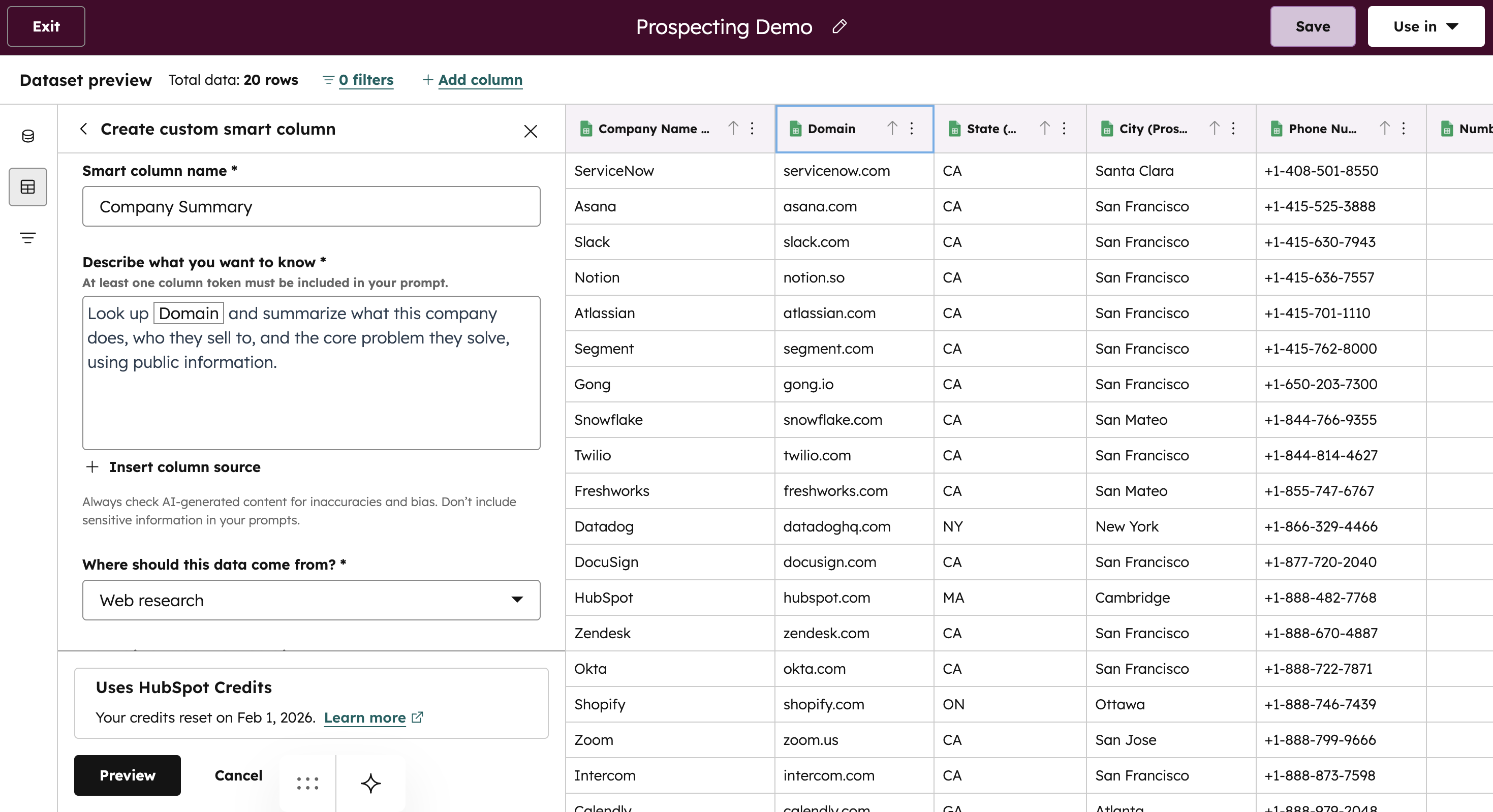
Company Research Agent
Data Agent
HubSpot Datasets
Smart Columns
AI Lead Scoring
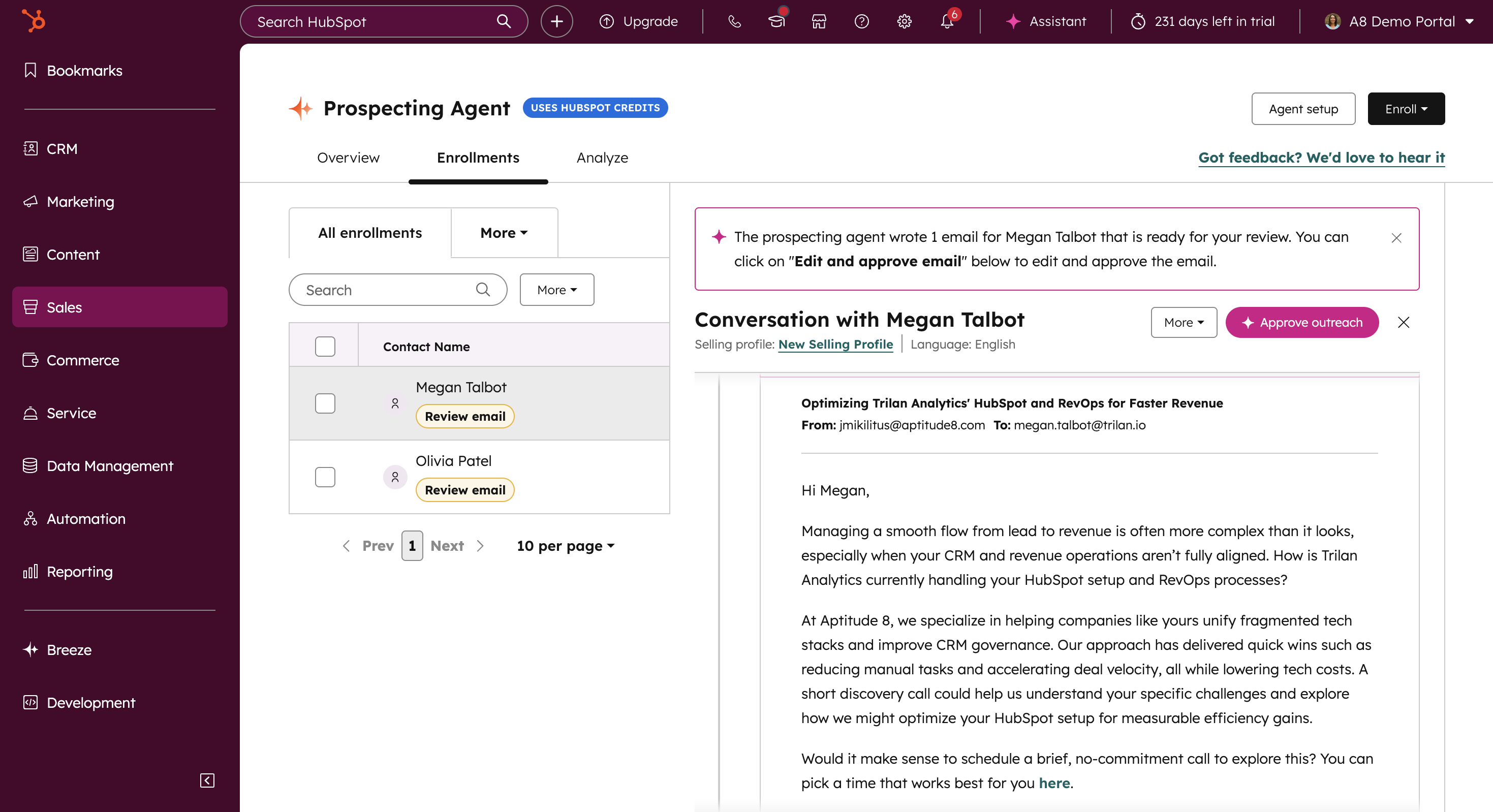
Prospecting Agent
ICP Assistant
Prospecting Outcomes This Workflow Delivers
A repeatable prospecting motion teams can trust
When implemented correctly, this workflow creates a disciplined, repeatable prospecting motion grounded in shared signals instead of opinion. Teams generate higher-quality conversations without increasing outreach volume, improve prioritization across sales and marketing, and reduce time spent on manual research. The result is faster movement from first touch to qualified opportunity, with consistency that holds as prospecting scales.
How This Workflow Works in HubSpot
Identify the Right Companies
Starts with an external company list, mapped against existing HubSpot companies to identify net-new vs. known accounts.
Researches companies using external signals without writing new properties to the CRM.
Uses HubSpot datasets and Smart Columns to evaluate account-level fit and relevance.
Surfaces meaningful insights about company positioning, growth indicators, and recent activity that determine whether an account is worth pursuing.
Outcome: Prospecting begins with shared, trustworthy account context instead of fragmented research or assumptions.
Score ICP fit by contact
Combines internal HubSpot contact data with external insights generated at the account level.
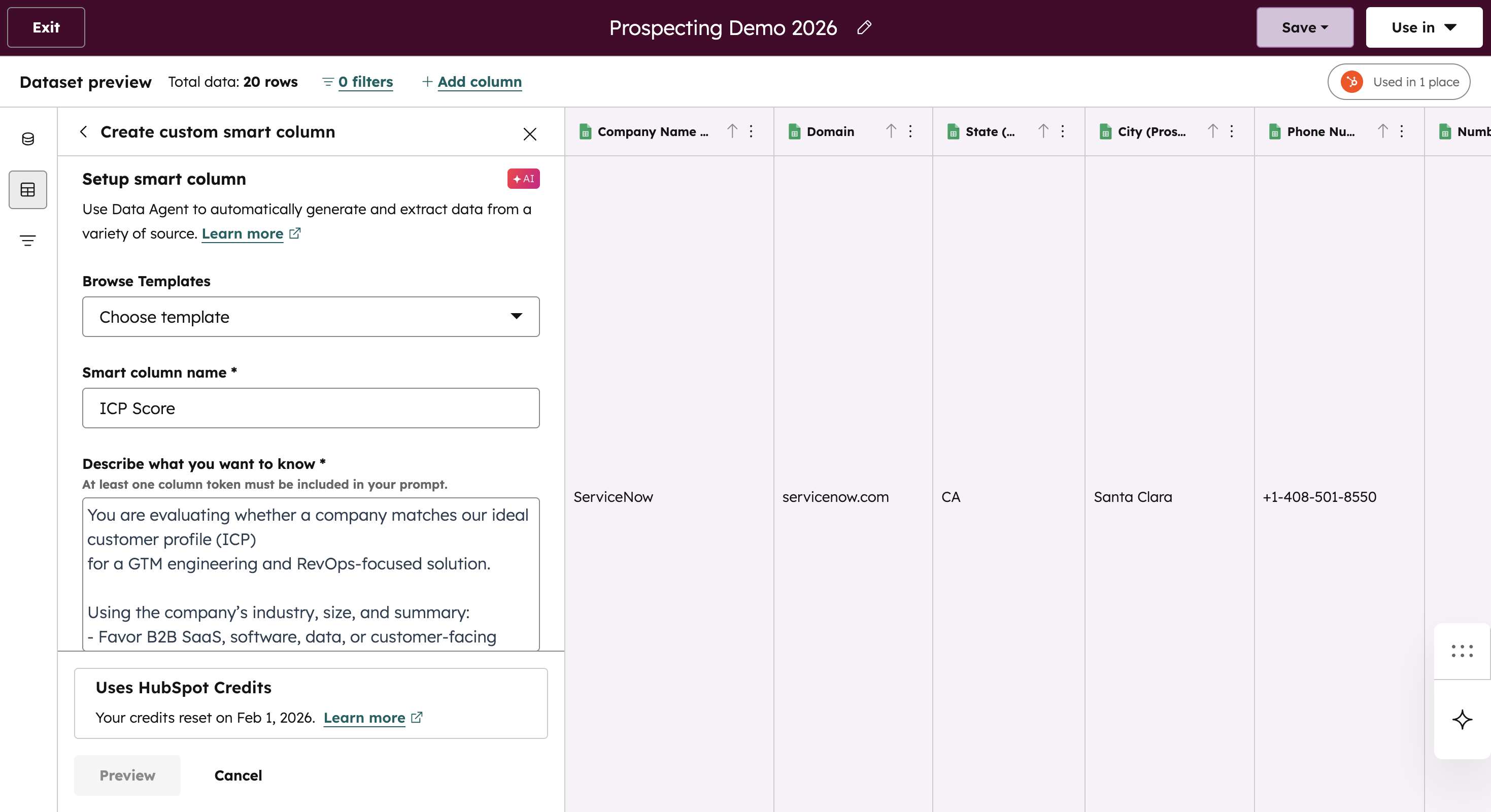
Uses datasets and Smart Columns to calculate an ICP score for each contact, grounded in both who they are and the company they belong to.
Incorporates role, seniority, lifecycle data, engagement history, and account context into a single evaluation.
Creates a consistent, explainable scoring model teams can trust as volume and complexity grow.
Outcome: Teams align outreach to contacts most likely to convert, using logic that scales and remains transparent.
Prioritize Prospects Using AI Scoring
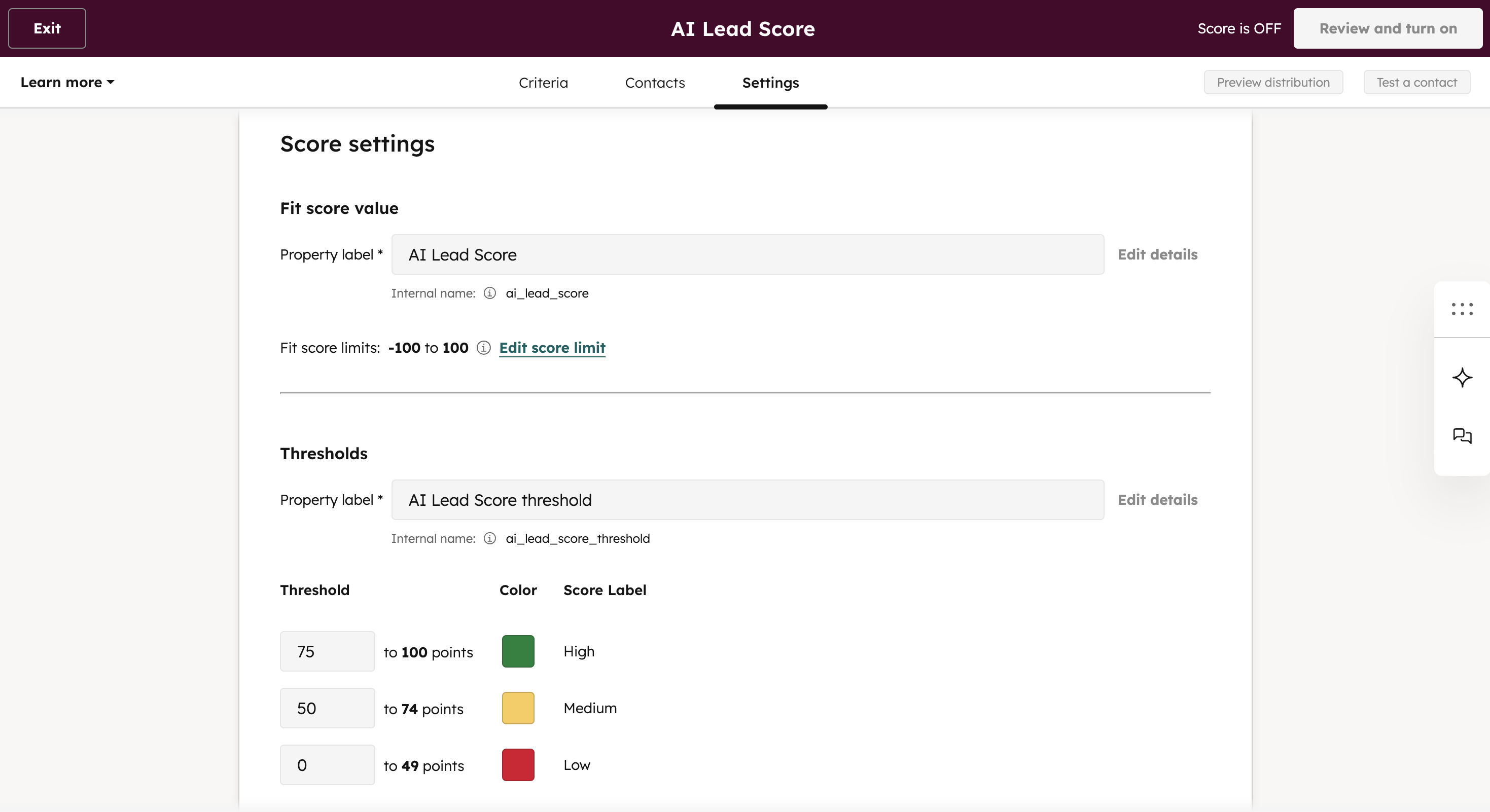
Applies HubSpot’s native AI Lead Scoring to contacts with the AI-generated ICP score.
Uses engagement signals, behavioral data, and historical patterns to dynamically rank and score prospects.
Continuously updates prioritization as contacts interact with your brand or their context changes.
Becomes the trigger criteria for which prospects are sent to the Prospecting Agent or the next stage of the outbound motion.
Outcome: Sales effort focuses on the right prospects at the right time, without manual reprioritization.
Prepare Outreach for Sales
Pulls in the full context from upstream steps so outreach is based on a complete picture, not a single signal.
Generates prospecting emails and talk tracks that reflect company context + persona relevance + current engagement signals.
Presents messaging in a review-and-approve workflow, giving reps control to edit, personalize, or reject before anything is sent.
Outcome: Reps save time by having an AI agent pull in relevant messaging and context, so they’re not starting from scratch, while still staying fully in control of execution.
Validating Outreach Against the ICP
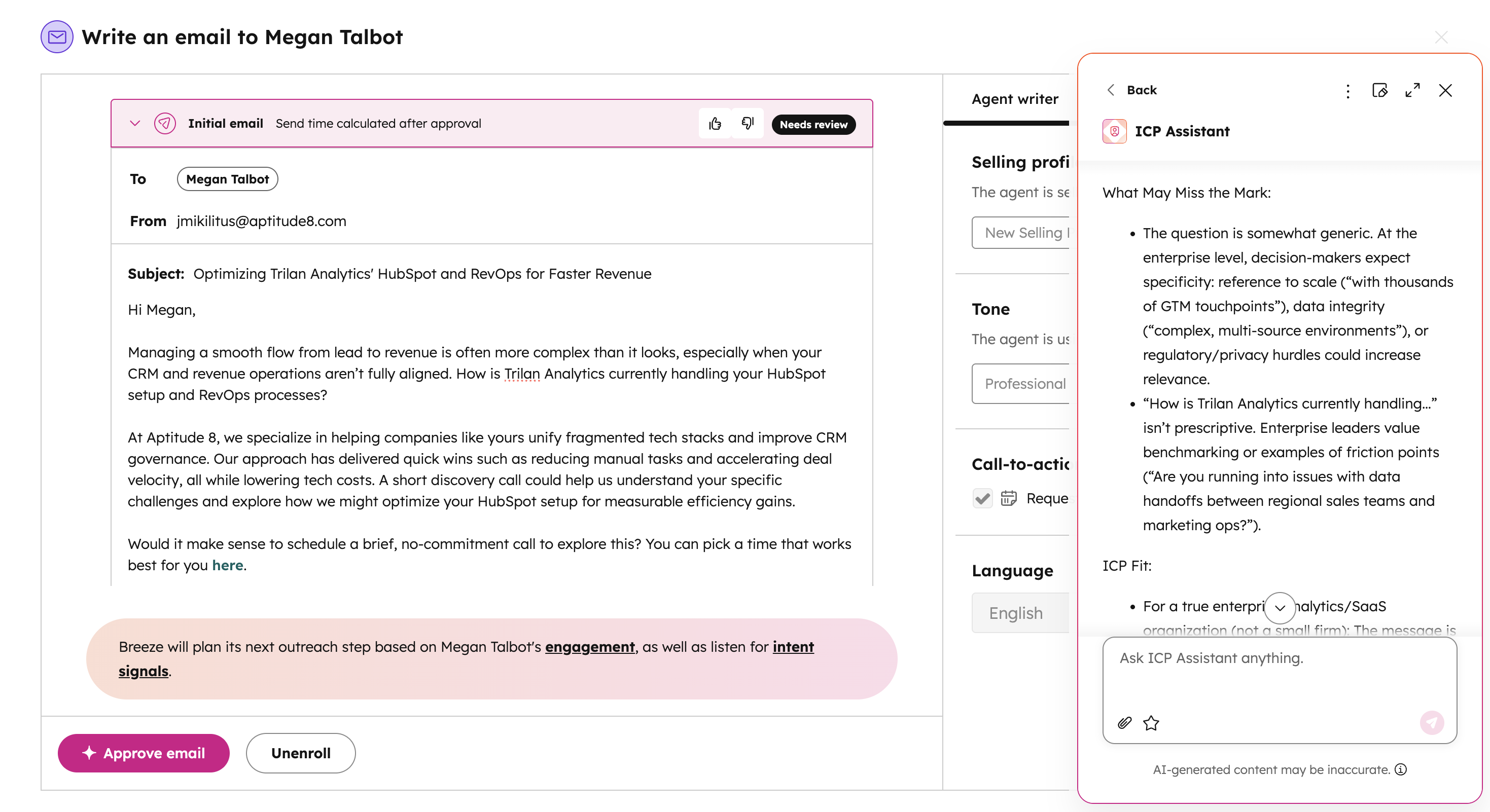
Pulls the ICP Assistant into the Prospecting Agent workflow while reps review AI-generated drafts.
Checks the draft against ICP criteria, using the contact’s role, seniority, priorities, and company context to flag misalignment.
Suggests targeted adjustments so reps can tighten relevance before approving or sending.
Outcome: Outbound messaging stays credible, targeted, and customer-aware, not generic or misaligned.
Ready to improve prospecting with real signals?
Explore how teams use AI to research accounts, prioritize prospects, and focus outreach where conversion is most likely inside HubSpot.
Marketing to Sales Handoffs in HubSpot
How AI turns engagement data into sales-ready leads
Most breakdowns between marketing and sales happen quietly. Leads get misrouted, attribution conflicts, and reps open records without clear context.
This workflow applies AI inside HubSpot to standardize routing, clarify attribution, enrich missing data, and generate structured handoff briefs. The goal is to ensure every lead reaches the right owner with clear source insight and full engagement context, so sales can respond quickly and confidently.
This package is designed for teams that:
Route leads across regions, specialties, or ownership models
Struggle with unclear attribution and fragmented source data
Want sales reps to start conversations informed, not guessing
Need tighter alignment between marketing activity and sales execution
When implemented correctly, this workflow eliminates friction between marketing and sales. Leads are routed intentionally based on fit and ownership logic, attribution reflects how interest was actually generated, and sales teams receive complete context before engaging.
Teams see faster response times, fewer misrouted leads, improved reporting accuracy, and stronger conversion from lead to opportunity. Instead of reconstructing context after the fact, sales starts with clarity.
How This Workflow Works in HubSpot
Route Leads by Fit and Ownership
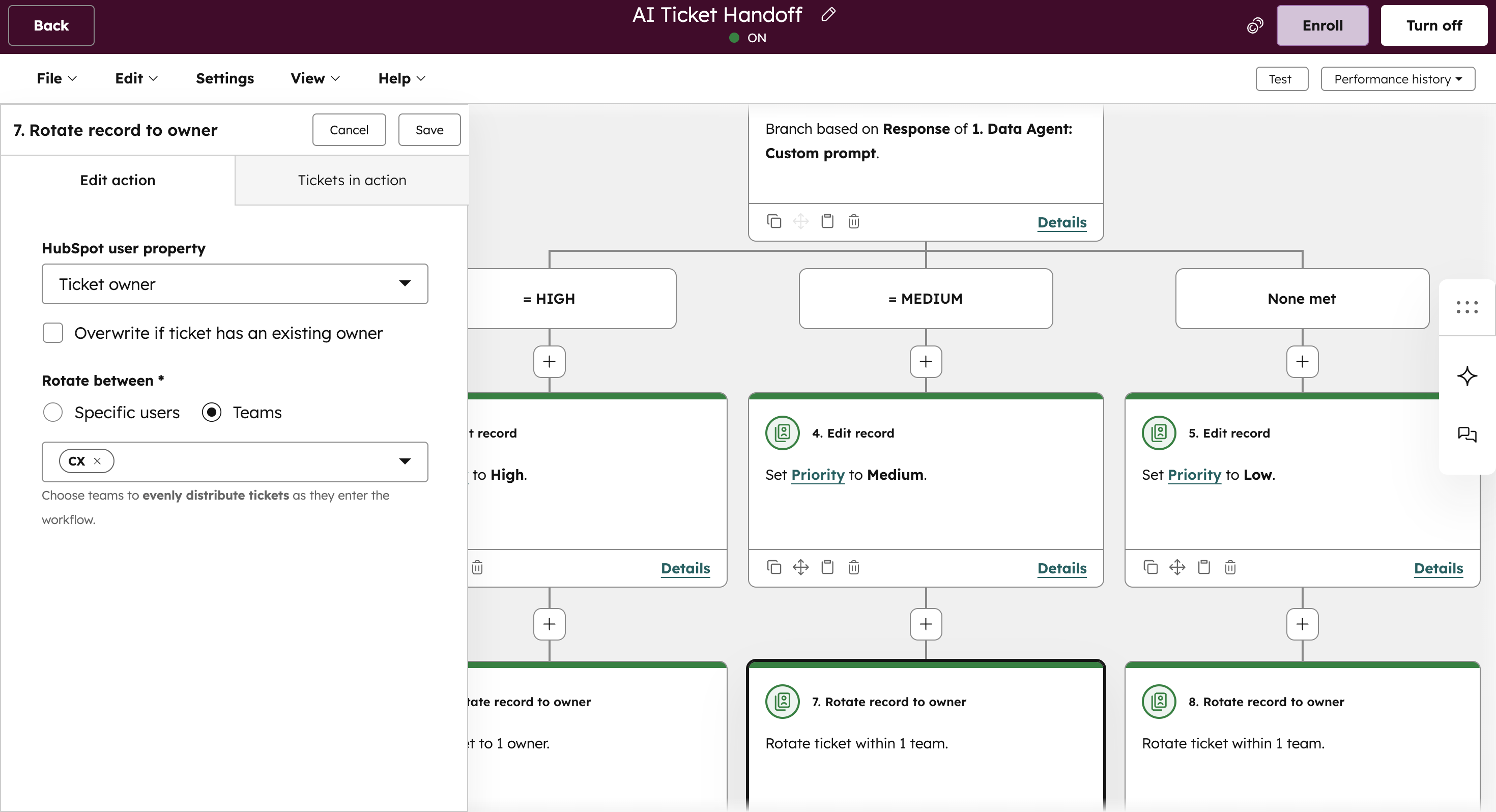
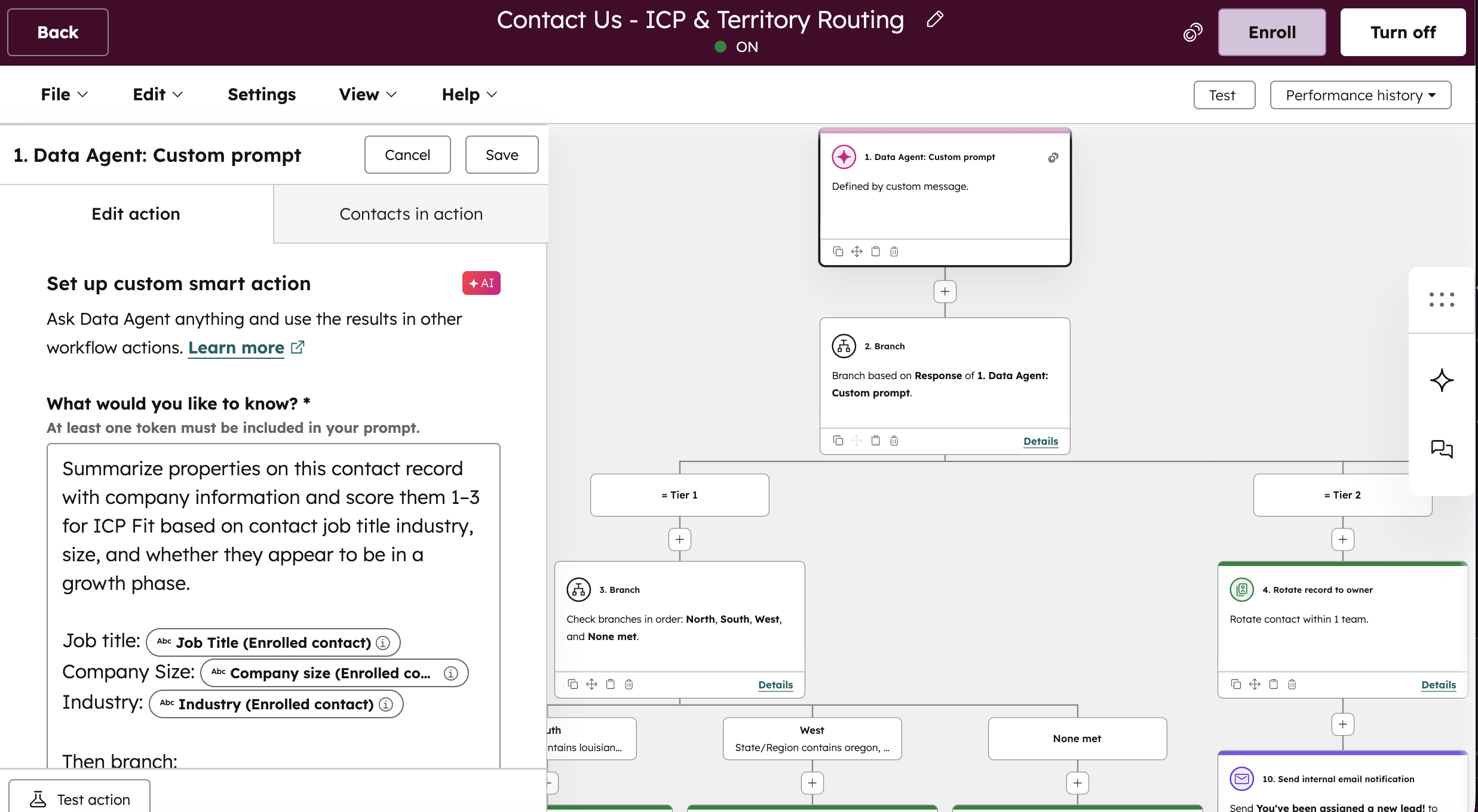
Uses a Data Agent to evaluate multiple contact and company attributes at once and assign a tier based on ICP fit.
Routes leads based on the AI-determined tier, factoring in region, team ownership, and coverage models.
Reduces manual reassignment by routing intentionally based on fit and ownership logic rather than static rules alone.
Outcome: Leads reach the right rep the first time, reducing reassignment, response delays, and internal friction.
Standardize Attribution Across Sources
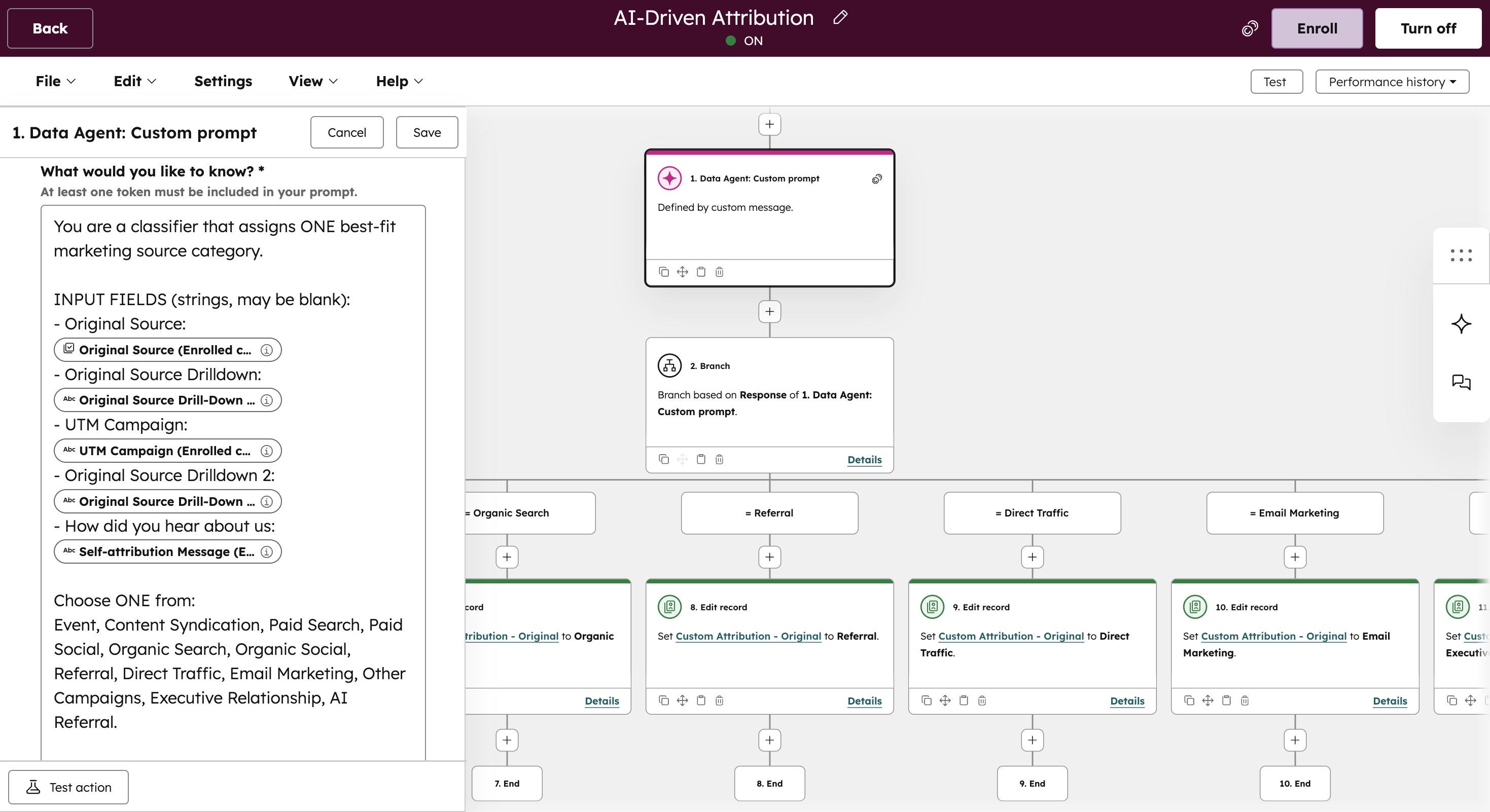
Uses a Data Agent to evaluate multiple attribution signals (original source, source drilldowns, UTM data, and self-reported fields) together, weighted by defined priorities rather than relying on a single field.
Resolves incomplete, inconsistent, or conflicting inputs into one best-fit marketing source category.
Establishes a consistent attribution model before leads are passed to sales.
Outcome: Reporting reflects how demand is actually generated, improving confidence in marketing performance and pipeline data.
Enrich Lead Records Automatically
Identifies and fills missing firmographic and contextual data as leads move through the funnel.
Ensures sales receives records with enough detail for personalization and qualification.
Reduces manual research while improving data consistency and accuracy across records.
Outcome: Sales receives complete, usable records without manual research, improving personalization and qualification speed.
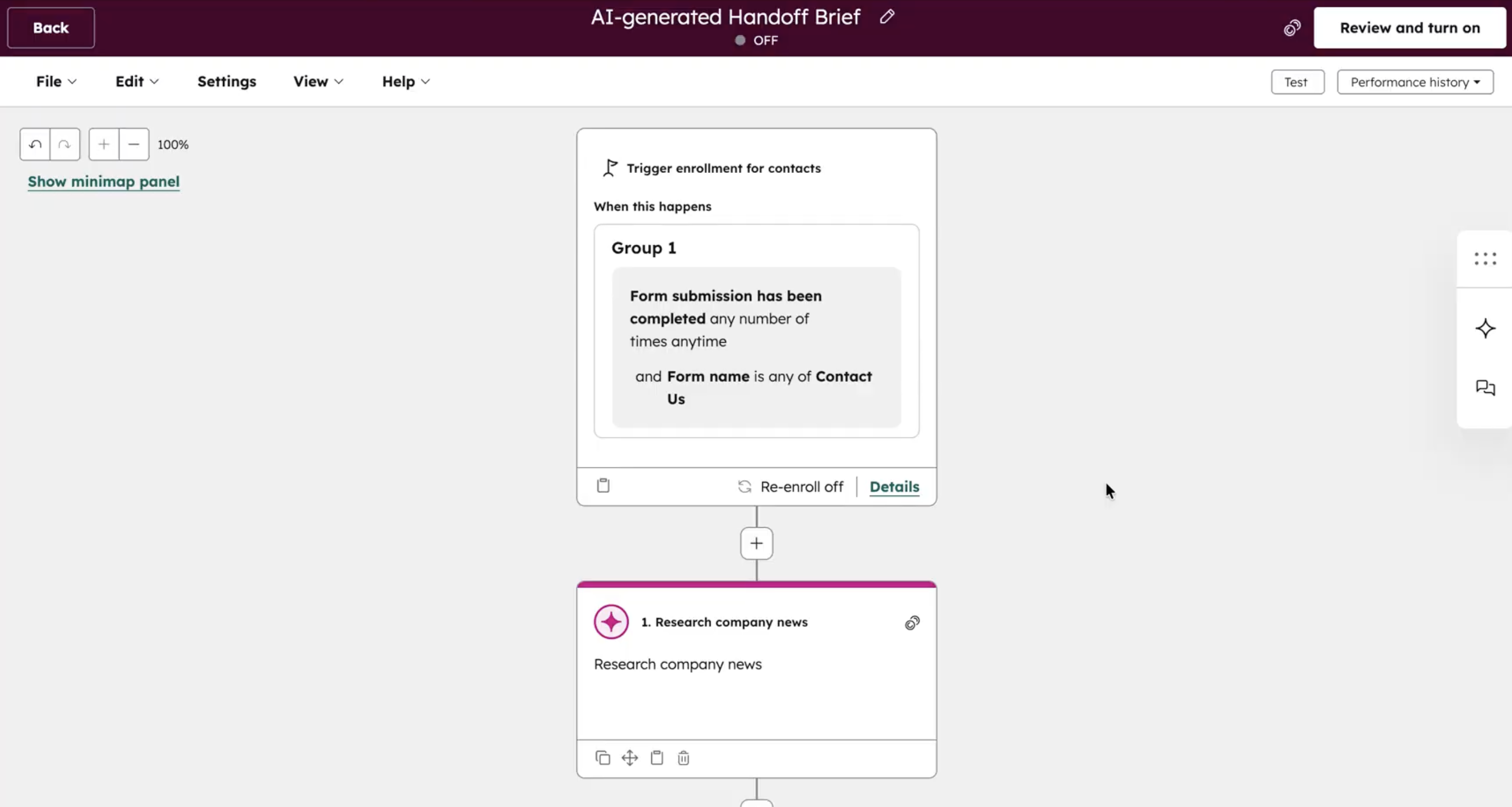
Deliver AI-Powered Handoff Briefs
Compiles marketing interactions, content consumption, engagement history, and contextual data into a single structured summary.
Incorporates firmographic, technographic, intent, and scoring signals to frame the opportunity clearly.
Delivers a consolidated, sales-ready brief before the first conversation.
Outcome: Sales enters every conversation with clear context, reducing ramp time and improving lead-to-opportunity conversion.
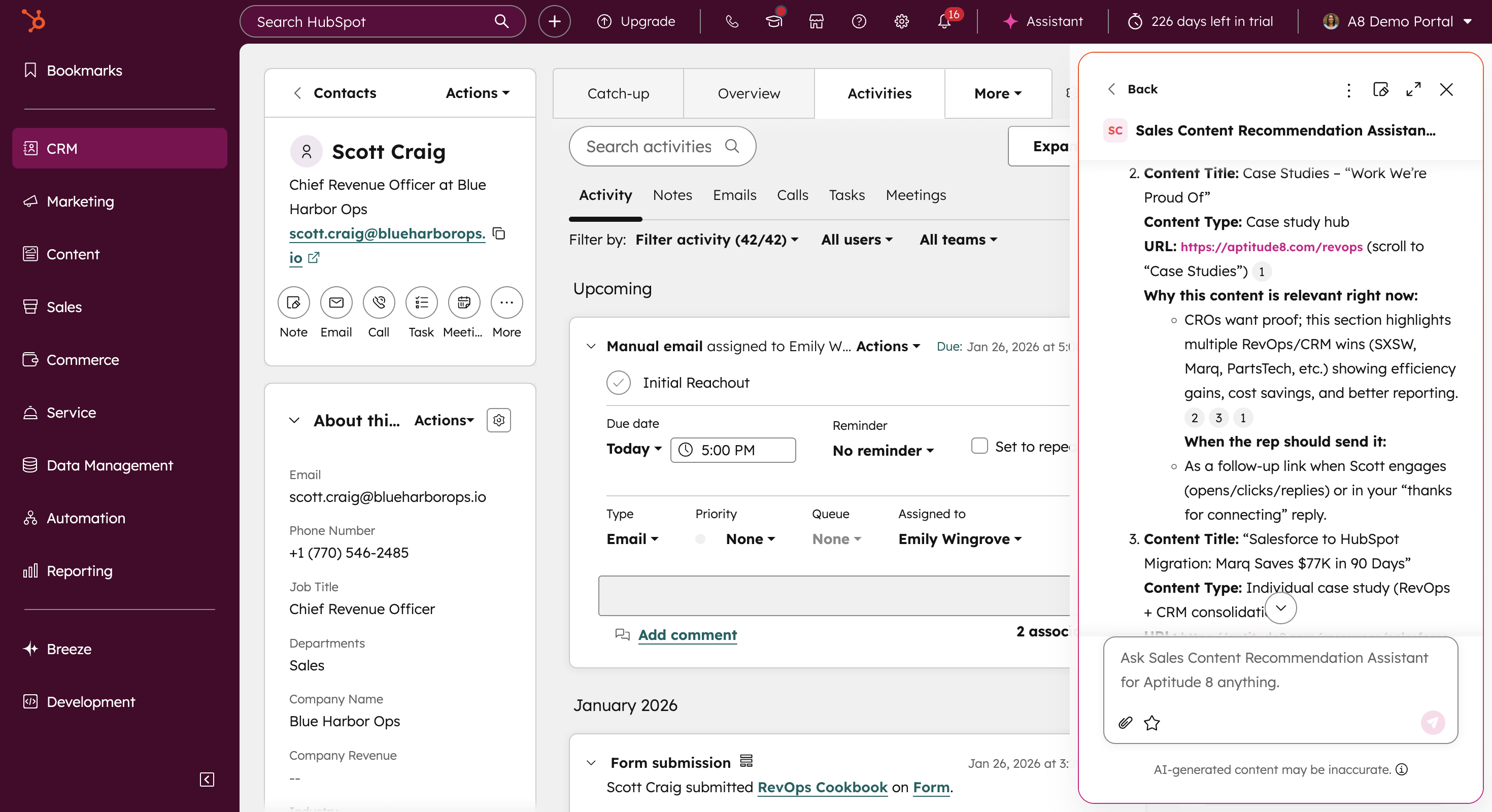
Recommending content for sales outreach
Evaluates lead context, engagement history, and deal stage to determine the most relevant next-touch content.
Aligns recommendations with buyer intent instead of generic sequences.
Supports reps with timely materials that advance conversations naturally.
Outcome: Follow-up becomes more relevant and timely, increasing engagement and accelerating deal progression.
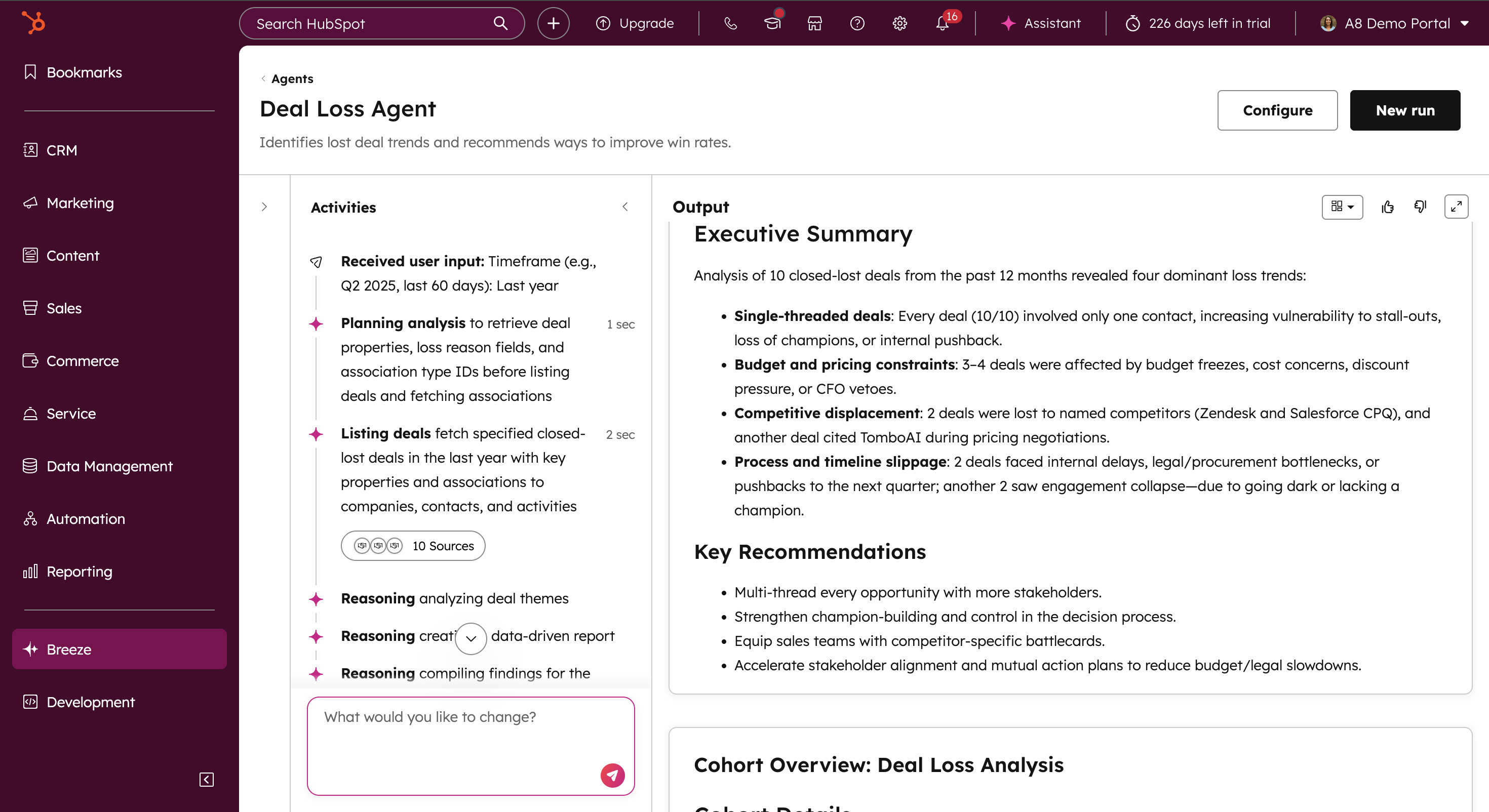
Learn from Lost Deals
Analyzes lost opportunities to identify recurring patterns and contributing factors.
Surfaces insights that inform routing logic, qualification thresholds, attribution weighting, and messaging strategy.
Feeds lessons back into the workflow to continuously improve future handoffs.
Outcome: The handoff process improves over time, using real loss data to refine routing, qualification, and messaging logic.
Ready to improve how leads reach sales?
See how teams use AI to route leads, preserve attribution, and deliver sales-ready context, so reps start conversations informed.
Sales to Service Handoffs in HubSpot
How AI preserves context as accounts move from sales to service
Sales-to-service handoffs break down when deal context isn’t transferred clearly after close. Notes are scattered, expectations aren’t documented, and service teams have to reconstruct what was sold before they can move forward.
This workflow ensures deal history, commitments, and priorities are captured and carried into service automatically. The result is faster onboarding, clearer accountability, and a smoother transition from sales to service.
Who this workflow is built for:
See friction or confusion after deals close
Rely on CSMs or service teams to drive retention and expansion
Want onboarding to start with full context, not discovery calls
Need clearer accountability between sales and service teams
Core components used in this workflow:
Customer Handoff Agent
AI Data Agents
Custom Assistant
HubSpot Data Agent
Customer Health Agent
Post-Sale Outcomes This Workflow Delivers
Continuity, clarity, and faster onboarding
When implemented correctly, this workflow preserves full deal context as ownership shifts from sales to service. Teams eliminate information loss, reduce onboarding delays, and ensure customers feel understood from day one.
The result is smoother onboarding, stronger alignment across teams, and improved retention driven by clarity instead of recovery.
How This Workflow Works in HubSpot
Generate a Complete Deal Summary
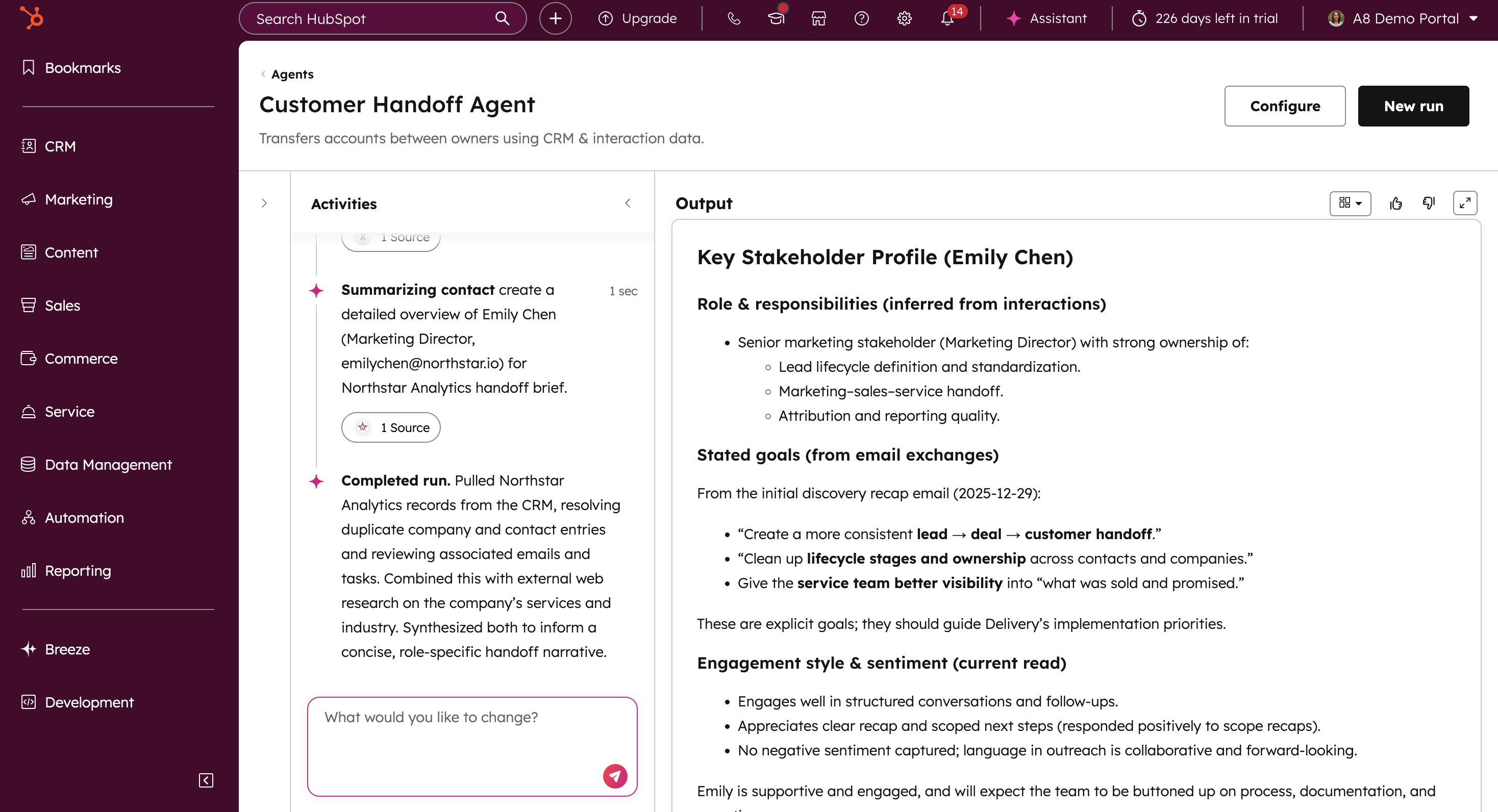
Uses a Customer Handoff Agent to analyze sales calls, emails, chats, texts, and deal notes to generate a concise summary of the full sales cycle.
Surfaces key decisions, expectations, risks, and priorities discussed before close.
Ensures service teams start onboarding with clarity instead of reconstructing context after the fact.
Outcome: Service begins with a clear understanding of what was sold, promised, and agreed upon, without rework or guesswork.
Creating Structured Engagement Records
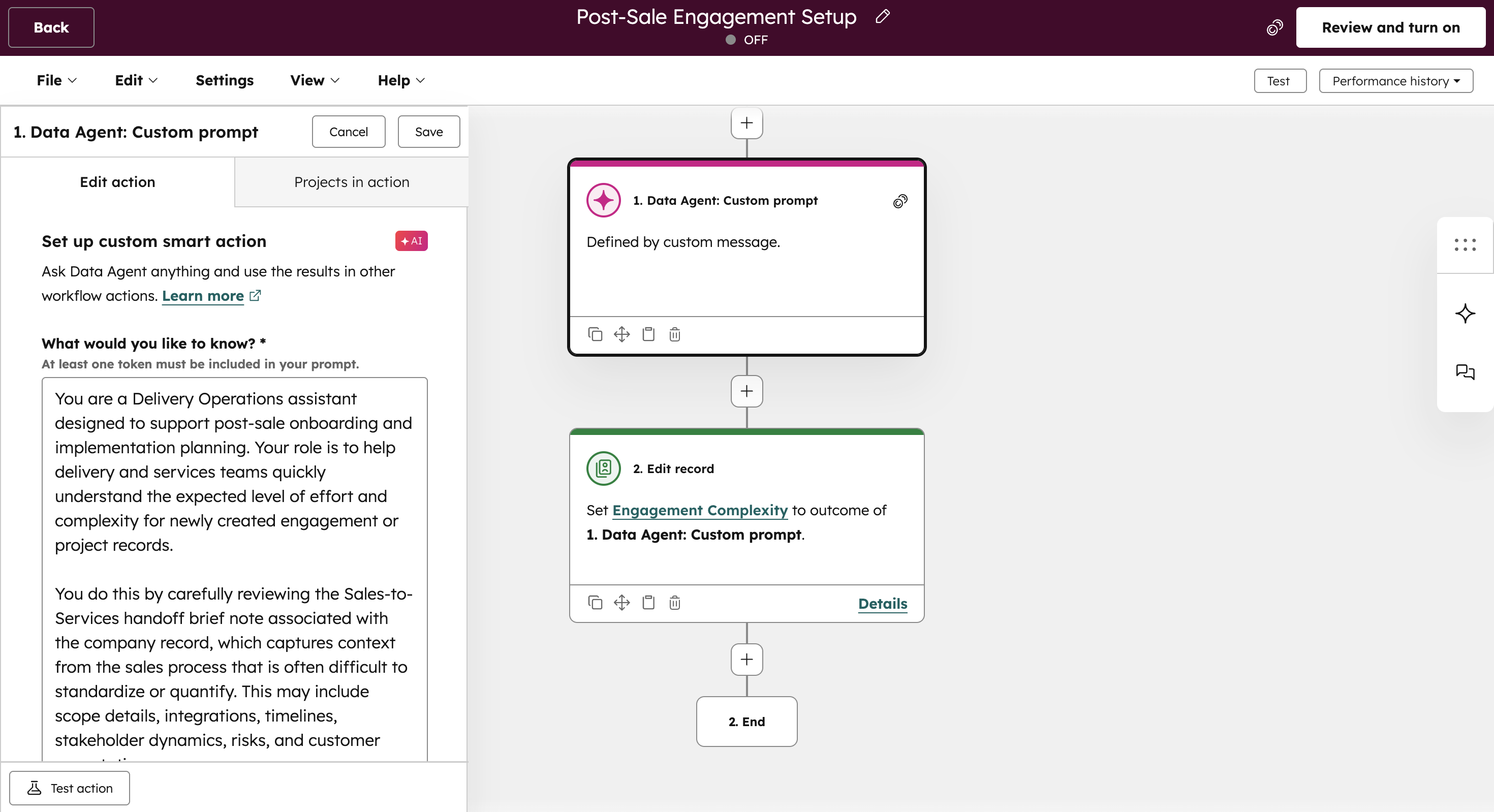
Automatically generates a dedicated engagement or project record when a deal closes.
Uses AI Data Agents to pull key details from the deal and handoff brief to prepopulate properties and reduce manual setup.
Creates a shared system of record that anchors onboarding and ongoing customer activity.
Outcome: Every new customer starts with a structured, consistent foundation inside HubSpot.
Recommending Kickoff Timing by Team
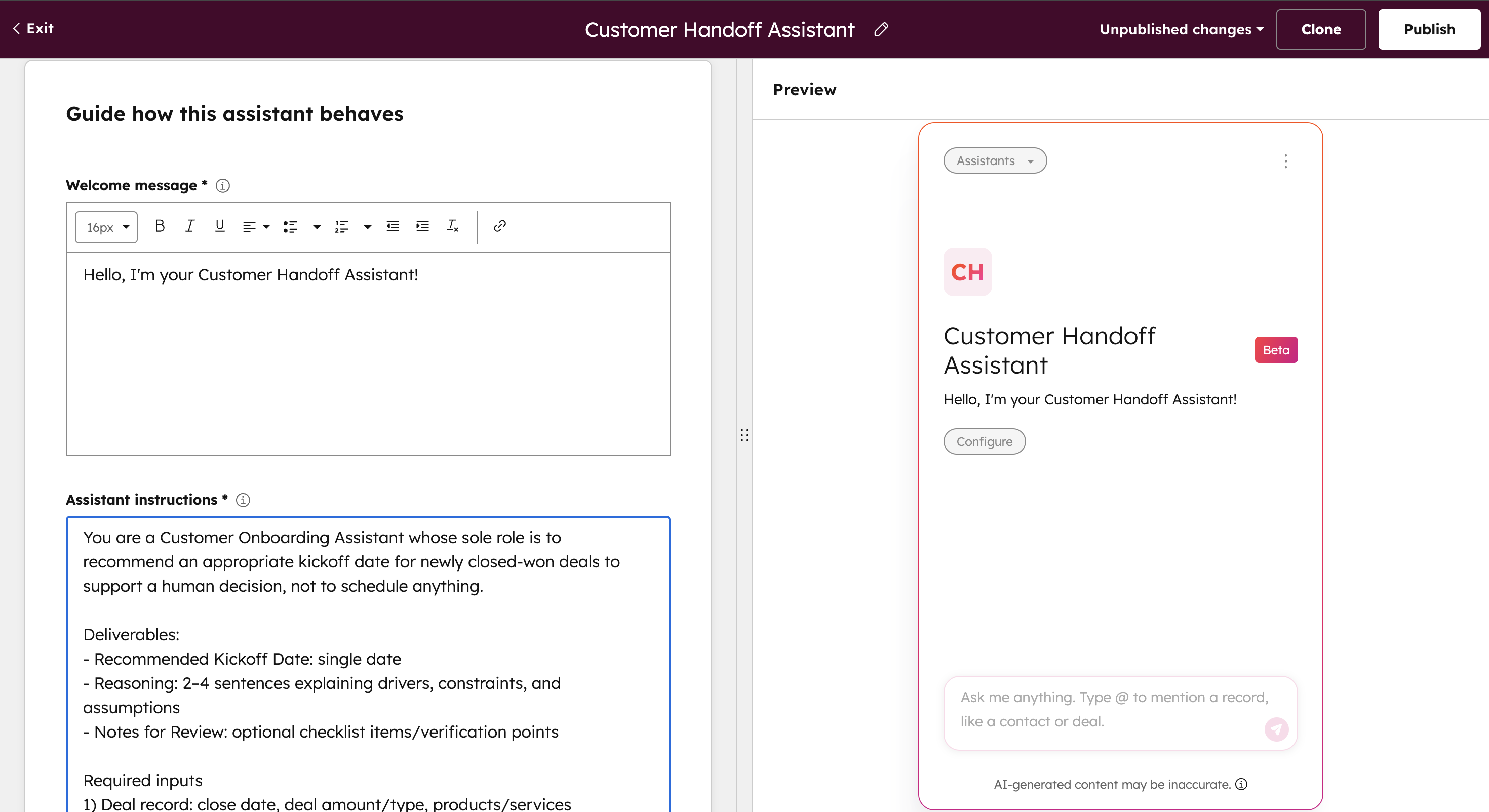
Uses a custom assistant to evaluate deal details, service ownership, and team capacity to recommend optimal kickoff timing.
Accounts for situational context such as upcoming PTO, business shifts, or external constraints before finalizing recommendations.
Helps service teams engage customers quickly while keeping humans in control of scheduling decisions.
Outcome: Customers are engaged at the right time without overwhelming teams or creating scheduling friction.
Assign Accounts to the Right CSM
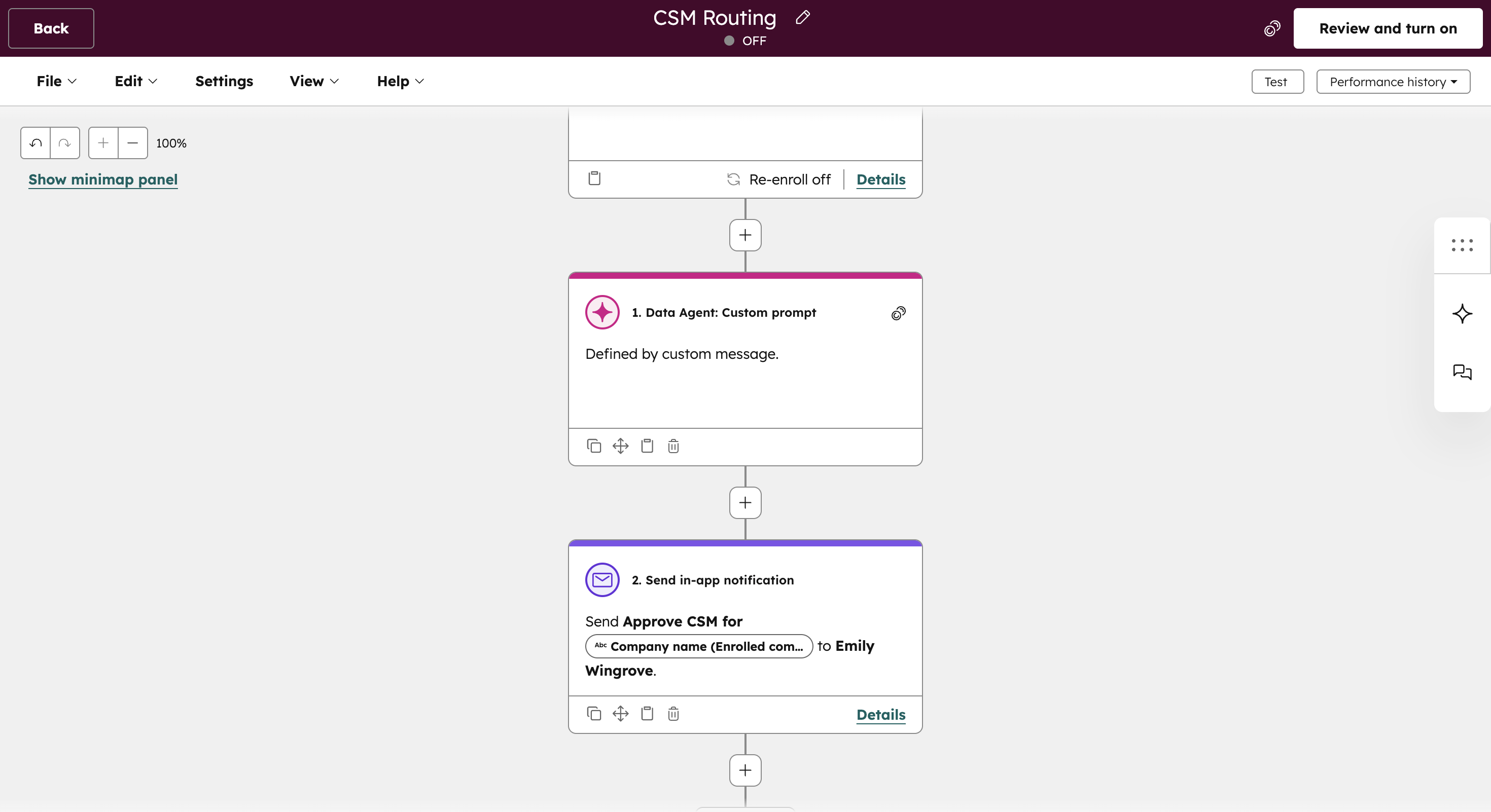
Uses a HubSpot Data Agent to recommend CSM assignments based on segment, region, expertise, and workload.
Adapts routing logic as coverage models or team structures change.
Keeps humans in the loop by recommending assignments instead of auto-assigning, preserving oversight without slowing execution.
Outcome: Customers are owned by the right service lead from day one, reducing confusion and improving continuity.
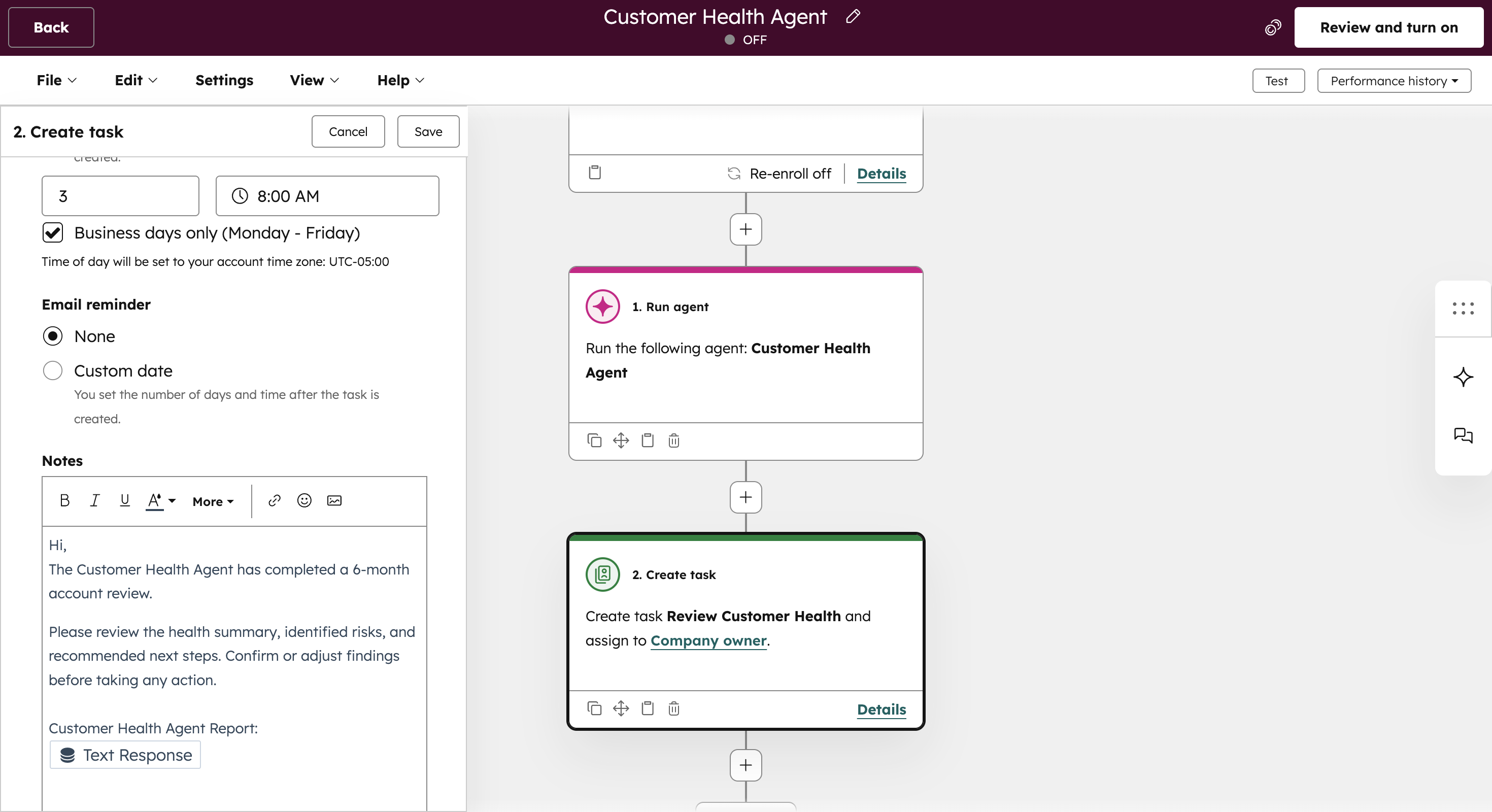
Evaluating ongoing customer health
Runs scheduled health evaluations at key lifecycle milestones and periods of inactivity.
Analyzes CRM data, engagement history, onboarding progress, and recent activity to assess health, identify risks, and suggest next steps.
Delivers a summarized health report as a task for the assigned CSM, ensuring AI insights are validated with human context before action is taken.
Outcome: Risks are surfaced early, and service teams can intervene before issues impact retention or expansion.
Ready to preserve context after deals close?
Learn how teams use AI to transfer deal knowledge, assign ownership, and ensure service teams start with full visibility.
Service Onboarding in HubSpot
How AI accelerates time to value during onboarding
Service onboarding breaks down when communication is generic, next steps are unclear, and teams rely on manual follow-through. Customers are forced to repeat information, timelines slip, and early confidence erodes.
This workflow uses AI inside HubSpot to personalize onboarding communication, guide internal execution, monitor early health signals, and support customers in real time. The result is a coordinated onboarding experience that adapts to each customer’s product, usage, and implementation scope, without adding operational overhead.
This package is designed for teams that:
Onboard customers across multiple products, plans, or industries
Struggle to personalize onboarding without adding manual effort
Want consistent onboarding experiences without rigid playbooks
Need better visibility into customer readiness and early health
Core components used in this workflow:
Data Agent
Customer Handoff Agent
Call Recap Agent
Customer Health Agent
Chat Support Agent
HubSpot workflows and automation
Onboarding Outcomes This Workflow Delivers
Faster time to value with consistent execution
When implemented correctly, this workflow creates a structured yet flexible onboarding motion. Customers receive communication that reflects their product, use case, and onboarding stage. Service teams operate from shared context instead of rebuilding it.
The result is faster activation, stronger early adoption, fewer onboarding gaps, and smoother transition into long-term customer success.
How This Workflow Works in HubSpot
Personalized Onboarding Communications
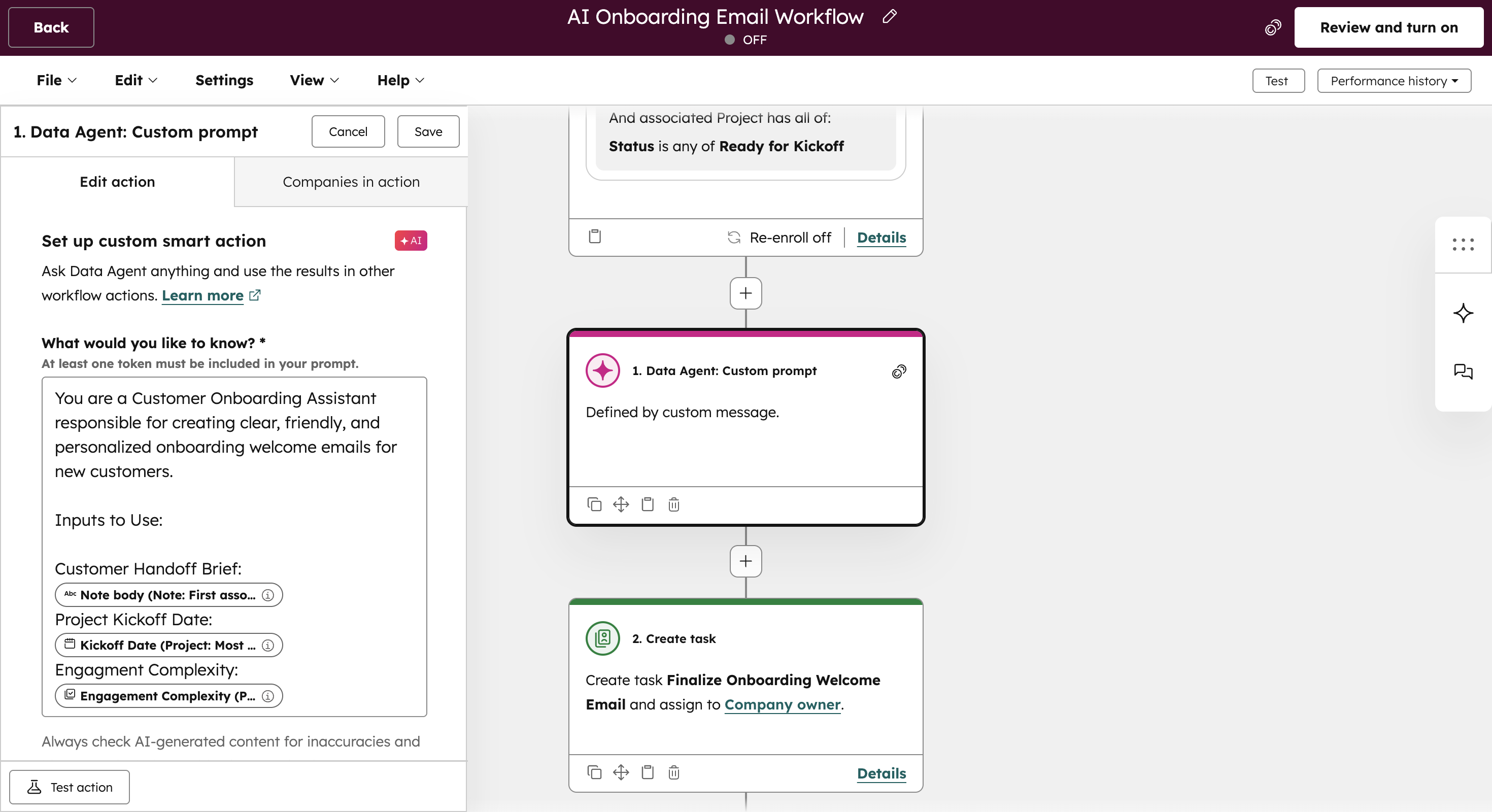
Uses a Data Agent to draft onboarding welcome emails tailored to the customer’s product, industry, use case, and project context.
Adapts messaging as onboarding progresses using handoff details, engagement signals, and onboarding milestones instead of static templates.
Keeps humans in the loop by requiring review before sending, ensuring accuracy, tone, and timing align with customer expectations.
Outcome: Customers receive communication that reflects their specific implementation, reducing confusion and setting clear expectations from day one.
Prepare CSMs for First Calls
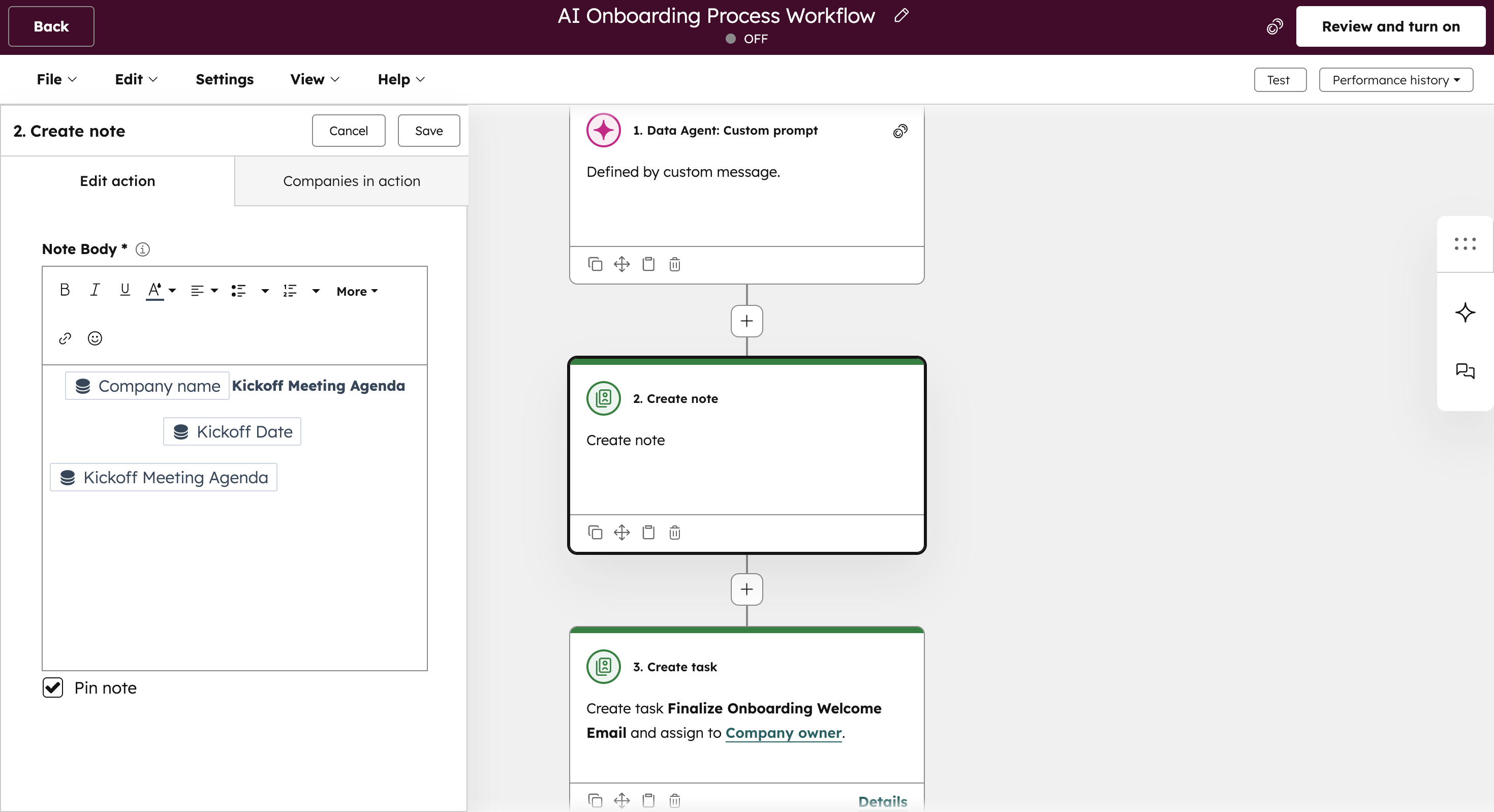
Generates onboarding meeting agendas aligned to the customer’s context and current onboarding stage.
Provides CSMs with a concise pre-call briefing pulled from the handoff summary, project details, and recent activity.
Helps service teams lead focused, confident onboarding conversations from the first interaction.
Outcome: CSMs enter onboarding fully informed, reducing discovery rework and improving the quality of early conversations.
Coordinate Onboarding Tasks Dynamically
Builds onboarding plans and task checklists based on customer complexity, risk, and implementation scope.
Prioritizes tasks using AI to guide teams toward what matters most at each stage of onboarding.
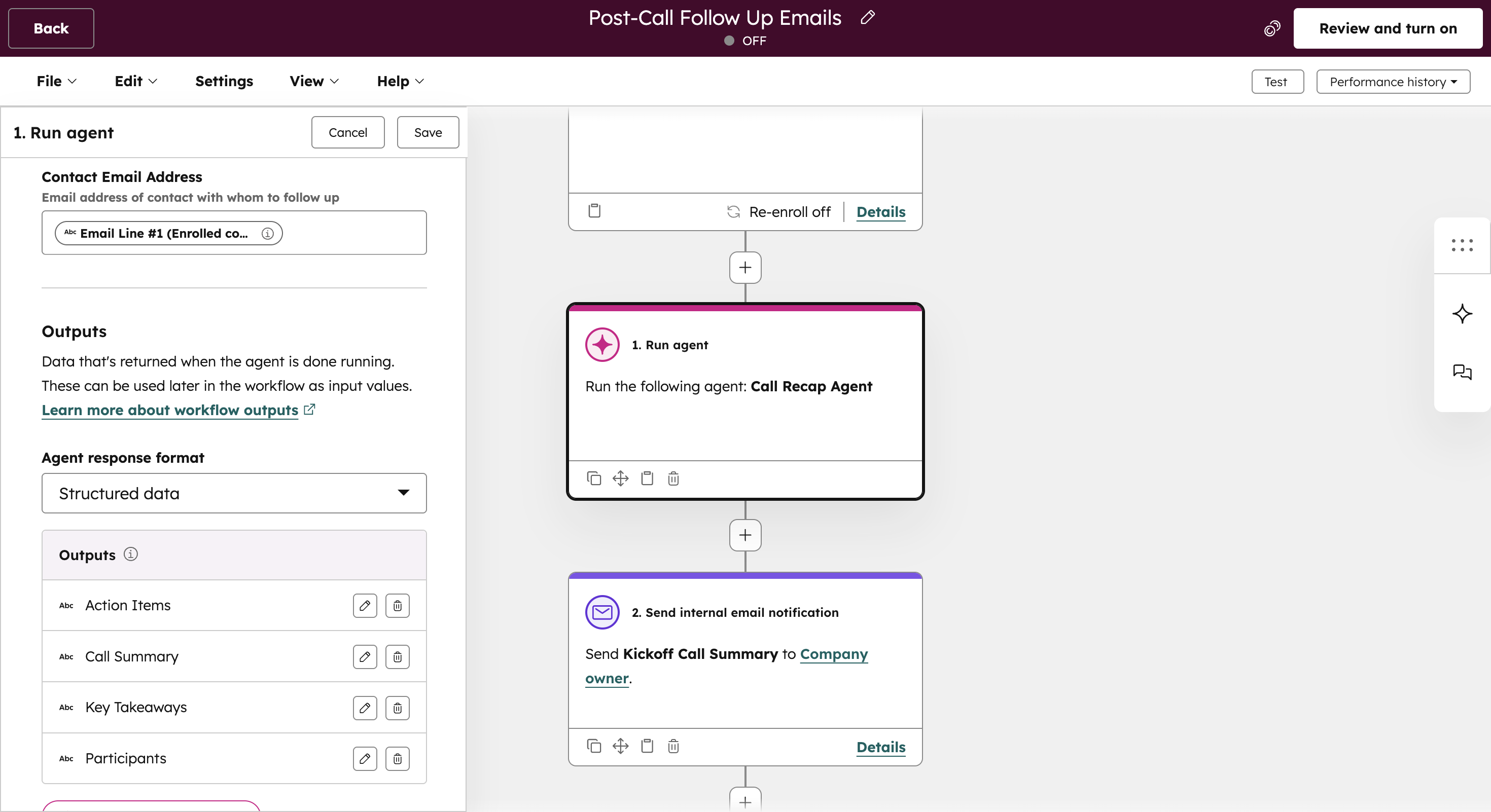
Uses the Call Recap Agent to automate follow-up emails, summaries, and next steps after kickoff calls and onboarding check-ins.
Outcome: Onboarding execution stays structured and responsive, minimizing missed steps and manual coordination.
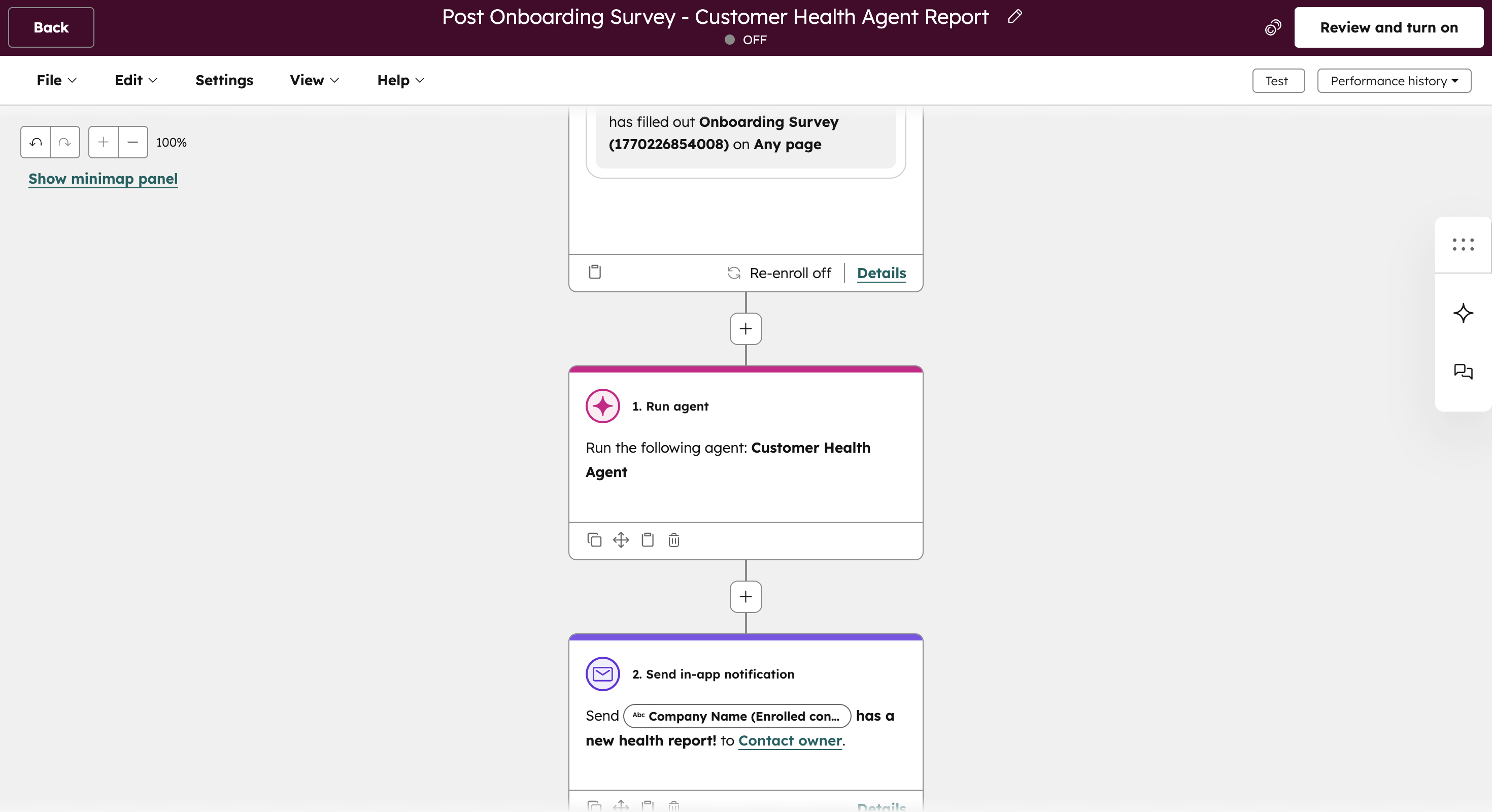
Capture Onboarding Feedback Early
Sends surveys at key onboarding milestones to capture customer feedback and sentiment.
Runs a Customer Health Agent on submission to interpret responses, surface risks, and generate a summarized health report.
Gives teams early visibility into satisfaction or friction so they can validate success or course-correct quickly.
Outcome: Teams identify onboarding risks before they escalate, protecting adoption and long-term retention.
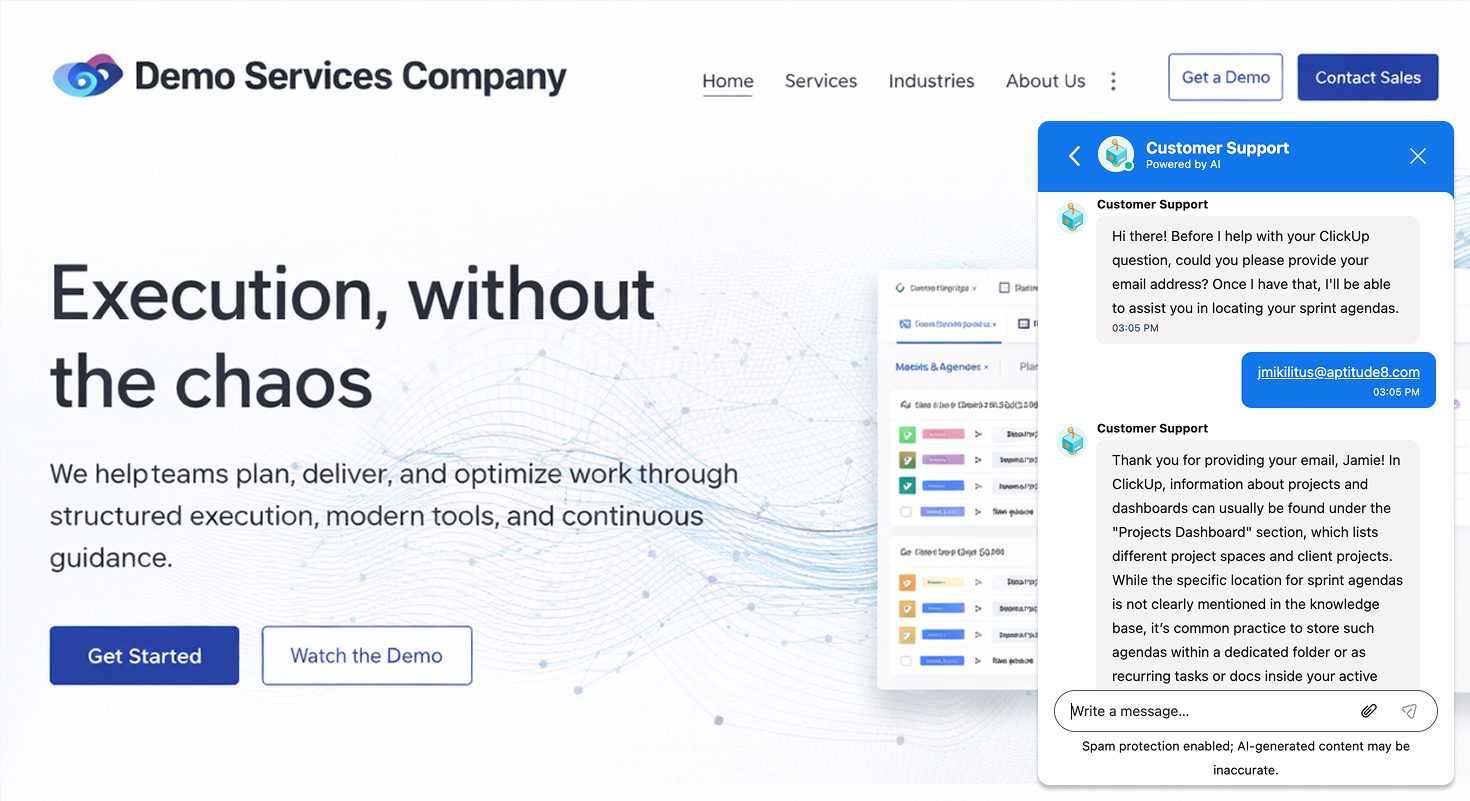
Automate Onboarding Support via Chat
Uses a dedicated chat support agent to assist customers with common onboarding questions in real time.
Directs customers to relevant knowledge base articles and onboarding resources as questions arise.
Escalates conversations to the appropriate CSM when human involvement is needed, without slowing progress.
Outcome: Customers get immediate answers during onboarding, while service teams stay focused on higher-impact work.
Ready to accelerate customer onboarding?
See how teams use AI to personalize onboarding, coordinate tasks, and help customers reach value faster inside HubSpot.
Customer Engagement in HubSpot
How AI enables timely, relevant engagement across the customer lifecycle.
Customer engagement breaks down when outreach is generic, reactive, or disconnected from customer behavior. Teams often rely on static lists, calendar reminders, or one-off campaigns that don’t reflect what’s actually happening inside an account.
This workflow uses AI inside HubSpot to continuously evaluate customer activity, lifecycle stage, engagement signals, and research insights. The result is engagement that is timely, contextual, and aligned to retention, relationship-building, and expansion goals, without relying on manual tracking.
This package is designed for teams that:
Manage long-term customer relationships and renewals
Want to personalize engagement beyond basic segmentation
Struggle to keep outreach timely and relevant at scale
Need engagement strategies that support retention and growth
Core components used in this workflow:
Customer Health Agent
Smart Columns
Buyer Intent (Breeze AI)
Automated summaries and notifications
Review readiness analysis
Customer Engagement Outcomes This Workflow Delivers
Consistent, signal-driven customer engagement
When implemented correctly, this workflow creates a structured engagement motion grounded in customer behavior instead of calendar-based outreach. Teams maintain relevance without increasing manual effort, respond to risk earlier, identify growth signals faster, and strengthen relationships through timely, informed interaction..
How This Workflow Works in HubSpot
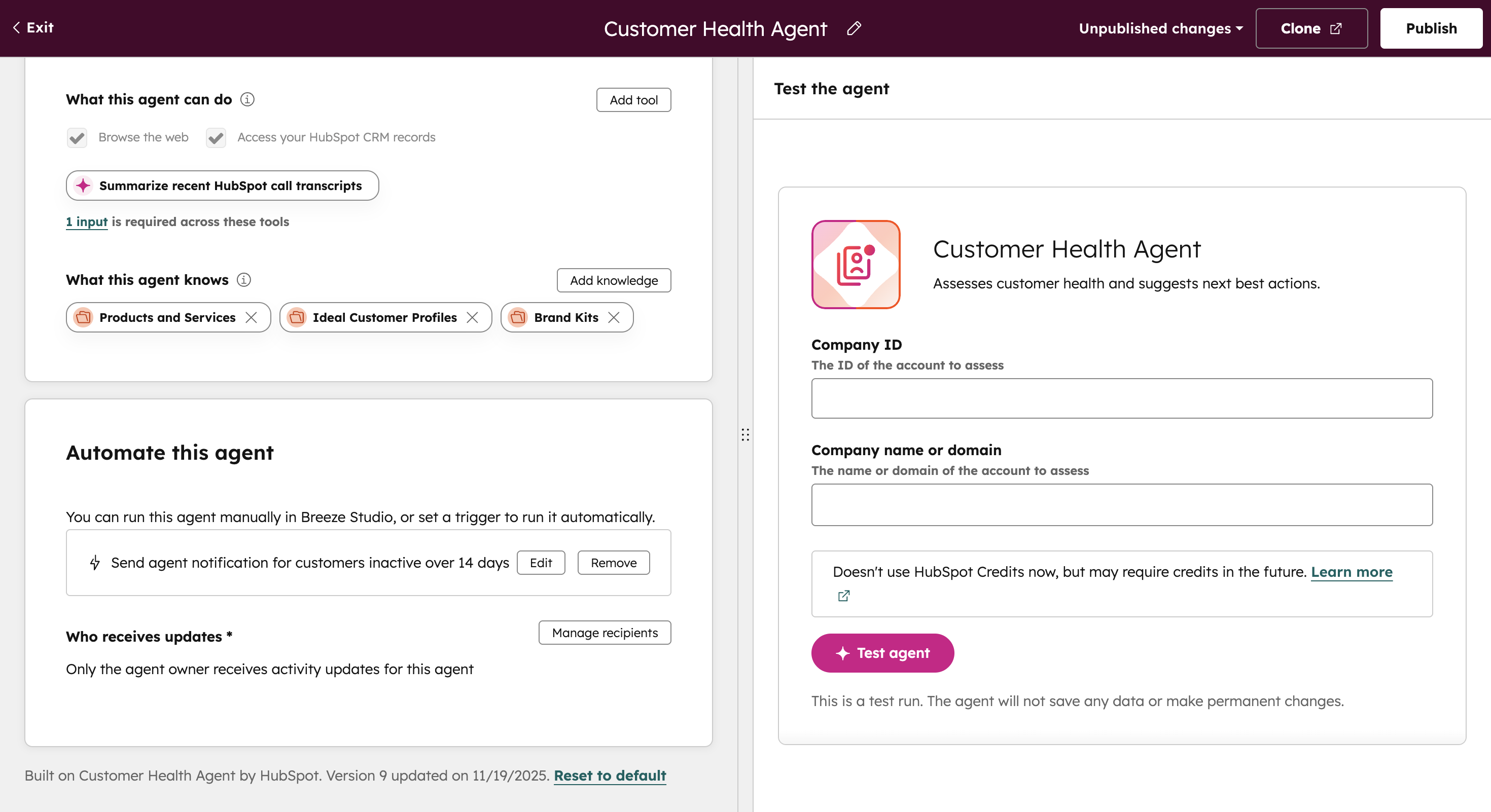
Monitor Customer Health Automatically
Customer Health Agent runs automatically after defined inactivity periods, reviewing CRM data and engagement history to detect early risk signals.
Surfaces a concise health summary directly to the assigned owner, eliminating the need to dig through records.
Keeps humans in control of response and escalation decisions while ensuring no account goes unnoticed.
Outcome: Teams identify risk earlier and engage customers proactively instead of reacting after issues escalate.
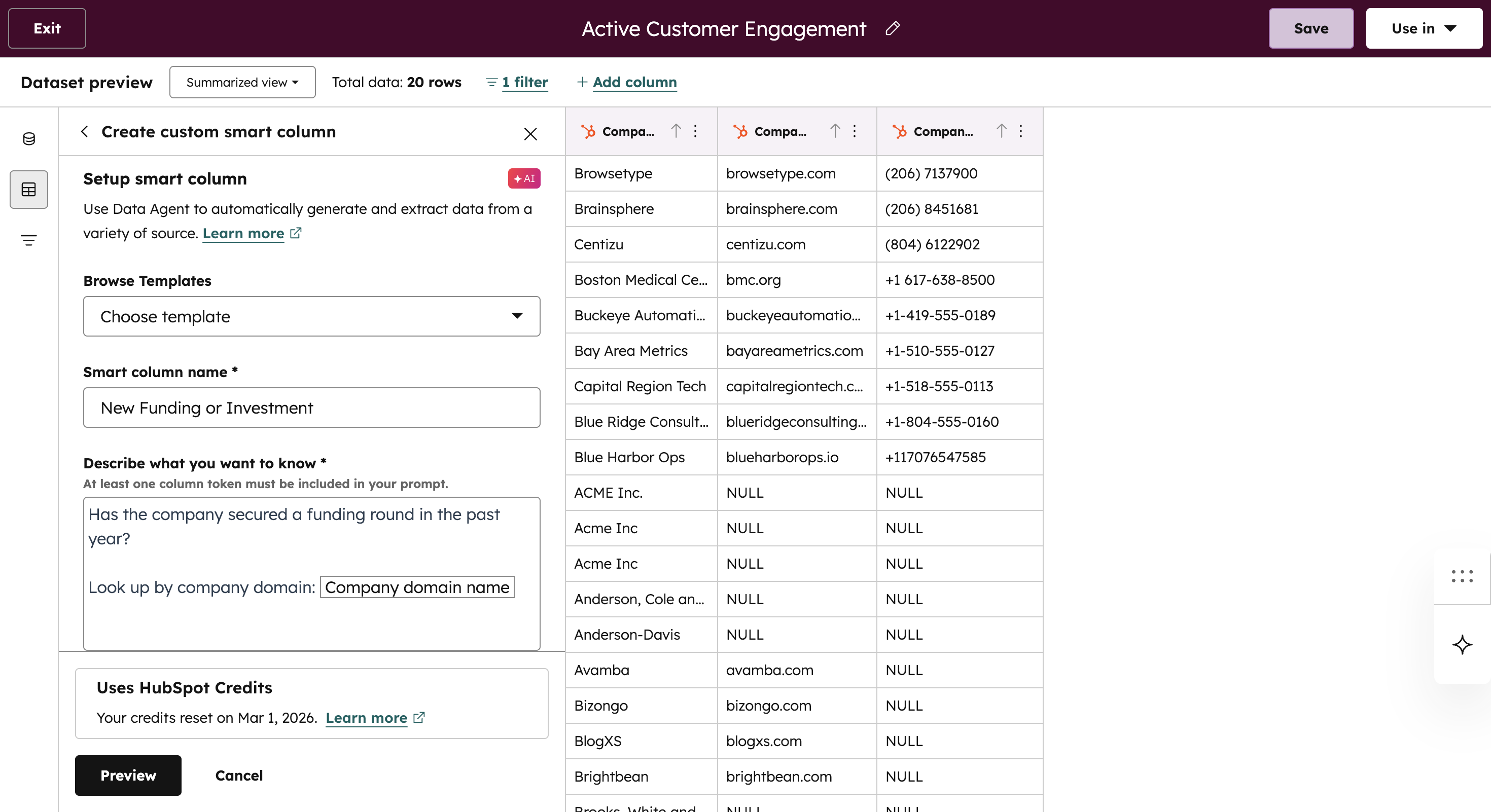
Personalize Engagement Using Ongoing Research
Uses Smart Columns to continuously identify meaningful personal and professional milestones such as promotions, anniversaries, or major life events.
Generates tailored email copy, thoughtful outreach ideas, or targeted promotions based on those signals.
Enables acknowledgment of important moments without manual tracking or spreadsheet reminders.
Outcome: Engagement feels timely and personal at scale, strengthening relationships without increasing manual effort.
Detect Customer Advocacy Through Call Intelligence
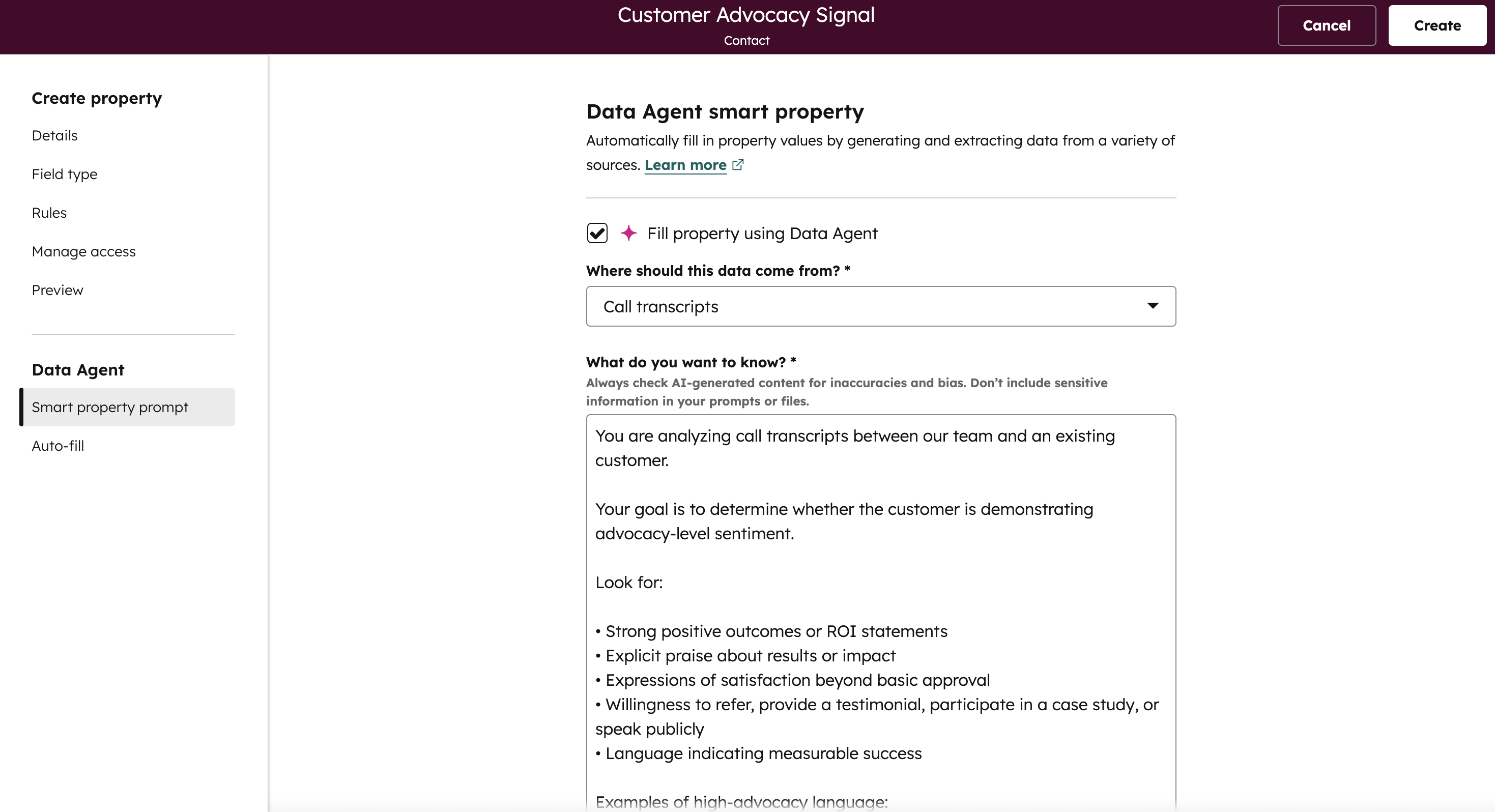
Create a Smart Property powered by a Data Agent that analyzes call transcripts for positive sentiment and advocacy indicators (e.g., strong results, willingness to refer, testimonial interest).
Configure the agent to update the property dynamically based on defined advocacy thresholds so it reflects real-time sentiment from customer conversations.
Use this Advocacy Signal property in workflows and readiness evaluations to trigger review requests based on genuine enthusiasm, not assumptions.
Outcome: Review requests are triggered based on verified customer enthusiasm, increasing response rates while protecting customer relationships.
Identify High-Intent Customers Early
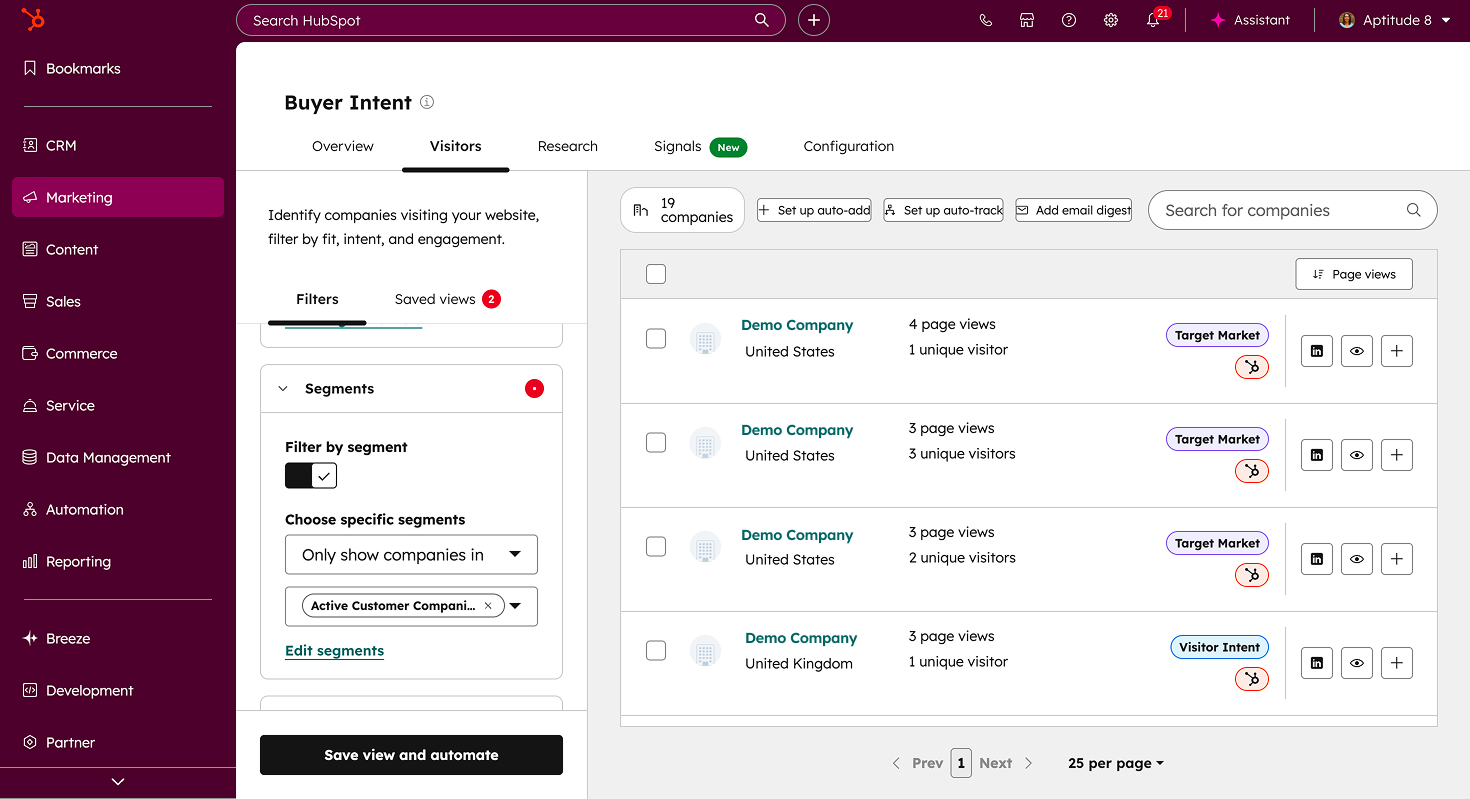
Navigate to Marketing > Buyer Intent feature in HubSpot.
Configure and define intent criteria based on meaningful behavioral patterns (e.g., repeated pricing page visits within a defined timeframe).
Utilize automations within the Buyer Intent Feature to automatically add companies to your CRM, segments, and/or workflows to track intent signals.
Outcome: Expansion and marketing teams act on verified buying signals in real time, engaging the right accounts before momentum fades.
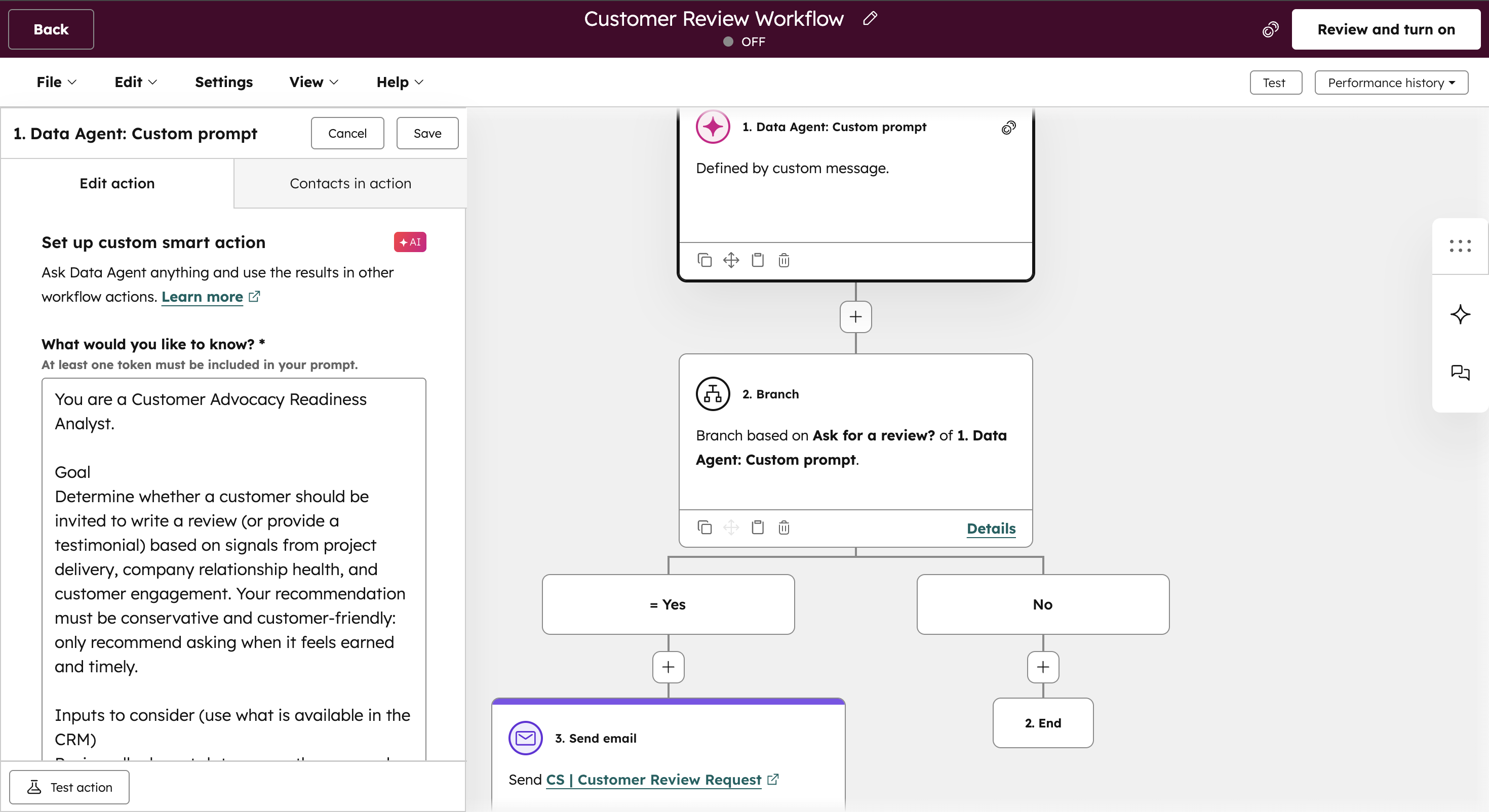
Trigger Review Requests at the Right Time
Analyzes project delivery status, customer health, and recent engagement to assess advocacy readiness.
Evaluates positive signals such as completed milestones, strong health scores, and absence of open issues.
Automatically sends review requests only when predefined criteria are met.
Outcome: Review outreach becomes timely and relationship-safe, increasing advocacy without risking trust.
Ready to create more meaningful customer engagement?
Explore how teams use AI to identify key moments, personalize outreach, and stay connected across the customer lifecycle.
Support Intelligence in HubSpot
How AI helps teams resolve issues faster without losing context
Support slows down when tickets lack context, routing is inconsistent, or agents have to reconstruct customer history before solving the issue.
This workflow uses AI inside HubSpot to interpret customer intent, capture full interaction context, prioritize issues correctly, and route tickets to the right team automatically. The result is faster resolution, clearer visibility, and a support operation that scales without increasing headcount.
Who this workflow is built for:
Handle high volumes of support requests across channels
Want faster resolution without increasing headcount
Struggle with inconsistent ticket quality or routing
Need better insight into customer impact and urgency
Core components used in this workflow:
Customer Agent
Ticket Automation
Ticket Summarization Agent
Data Agent for Ticket Classification
Knowledge Base Assistant
Routing Workflows
Support Outcomes This Workflow Delivers
Faster resolution with preserved customer context
When implemented correctly, this workflow reduces time spent reconstructing issues and increases time spent resolving them.
Teams resolve tickets faster, route high-risk issues more accurately, reduce repetitive workload through automation, and improve visibility into support performance, all while preserving full customer context from first contact to resolution.
How This Workflow Works in HubSpot
Respond Automatically to Common Issues
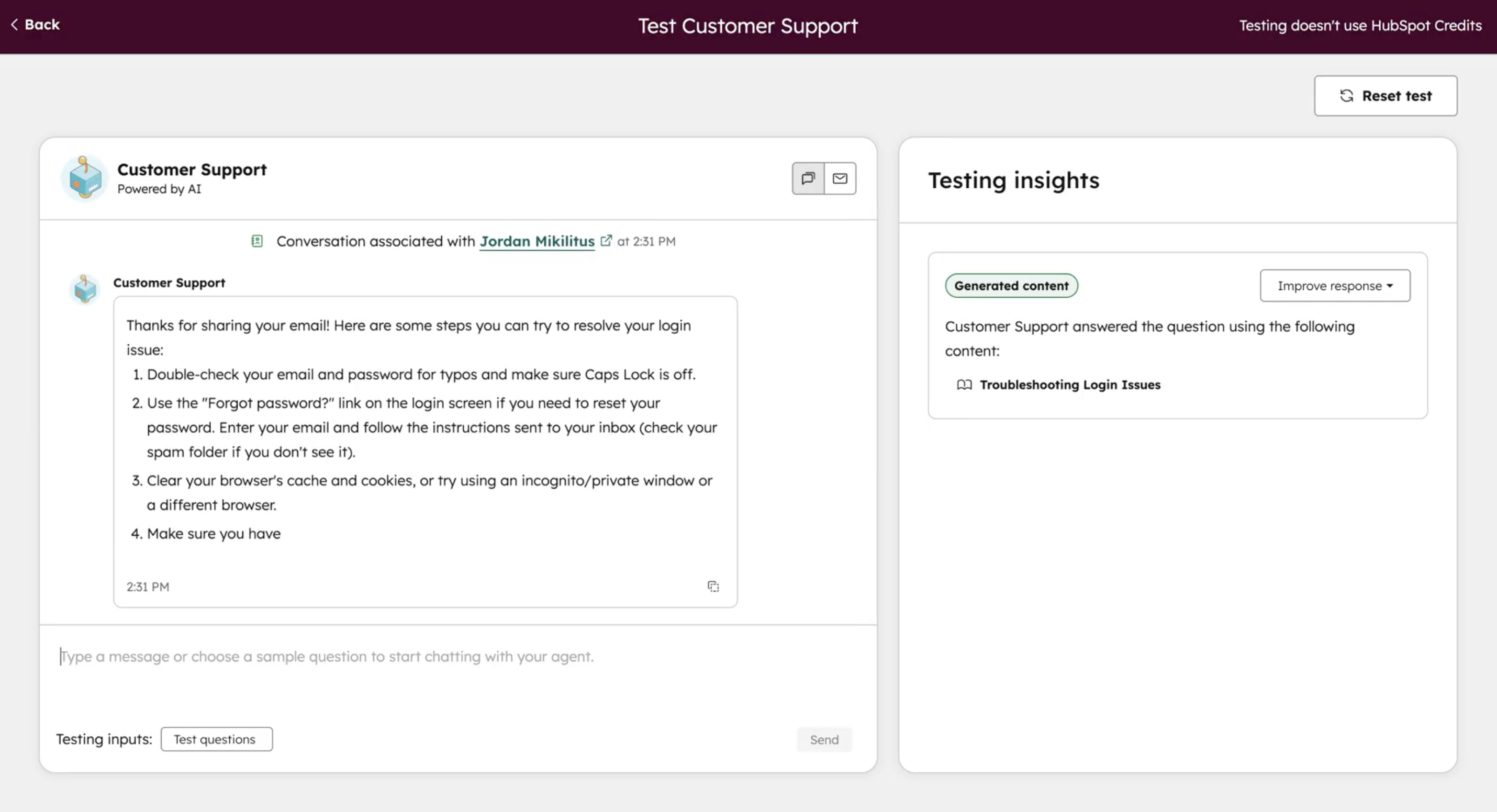
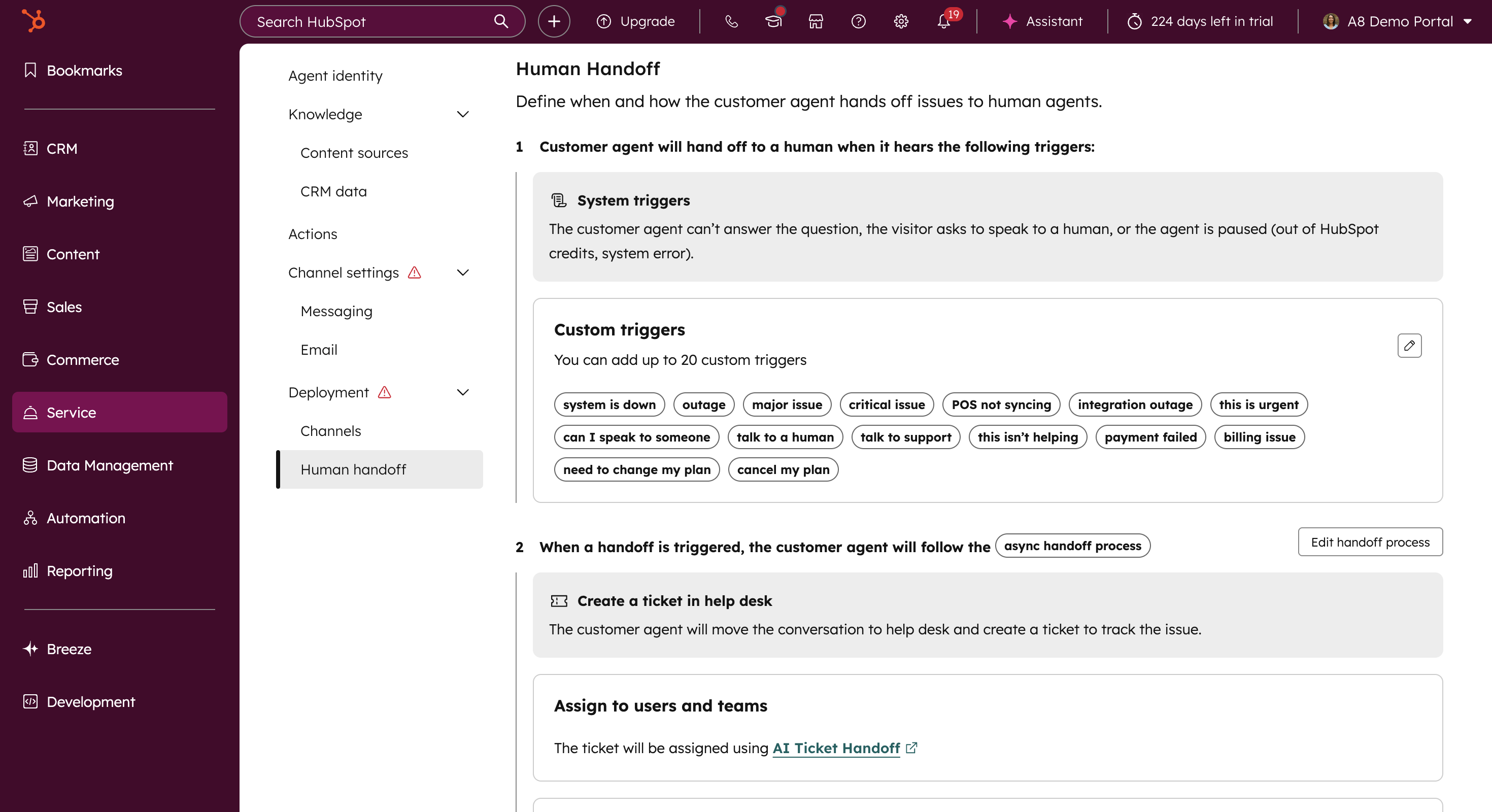
Uses a Customer Agent to handle incoming support questions across chat and other channels.
Resolves common issues automatically while maintaining conversational context.
Reduces agent workload by addressing routine requests before escalation is needed.
Outcome: Routine issues are resolved instantly, freeing agents to focus on higher-value and more complex cases.
Creating Tickets When Issues Persist
Detects when an issue cannot be resolved through automated interaction.
Creates a support ticket automatically without requiring customer re-submission.
Ensures unresolved issues transition smoothly from conversation to ticketed support.
Outcome: Customers move from chat to structured support seamlessly, without repeating information.
Summarizing Tickets with Full Context
Generates concise ticket summaries that include recent interactions and conversation history.
Surfaces relevant context such as ticket volume over time, ARR or MRR, customer health, lifecycle stage, and product usage.
Gives support agents a complete picture before they engage, reducing resolution time.
Outcome: Agents start with full context, reducing investigation time and accelerating resolution.
Routing Tickets by Priority
Classifies tickets based on issue type, sentiment, and urgency.
Routes tickets to the appropriate team or agent automatically.
Helps ensure high-impact or high-risk issues receive attention quickly.
Outcome: Critical issues are handled first, and tickets reach the right owner without manual triage.
Resolve Tickets with In-Ticket AI
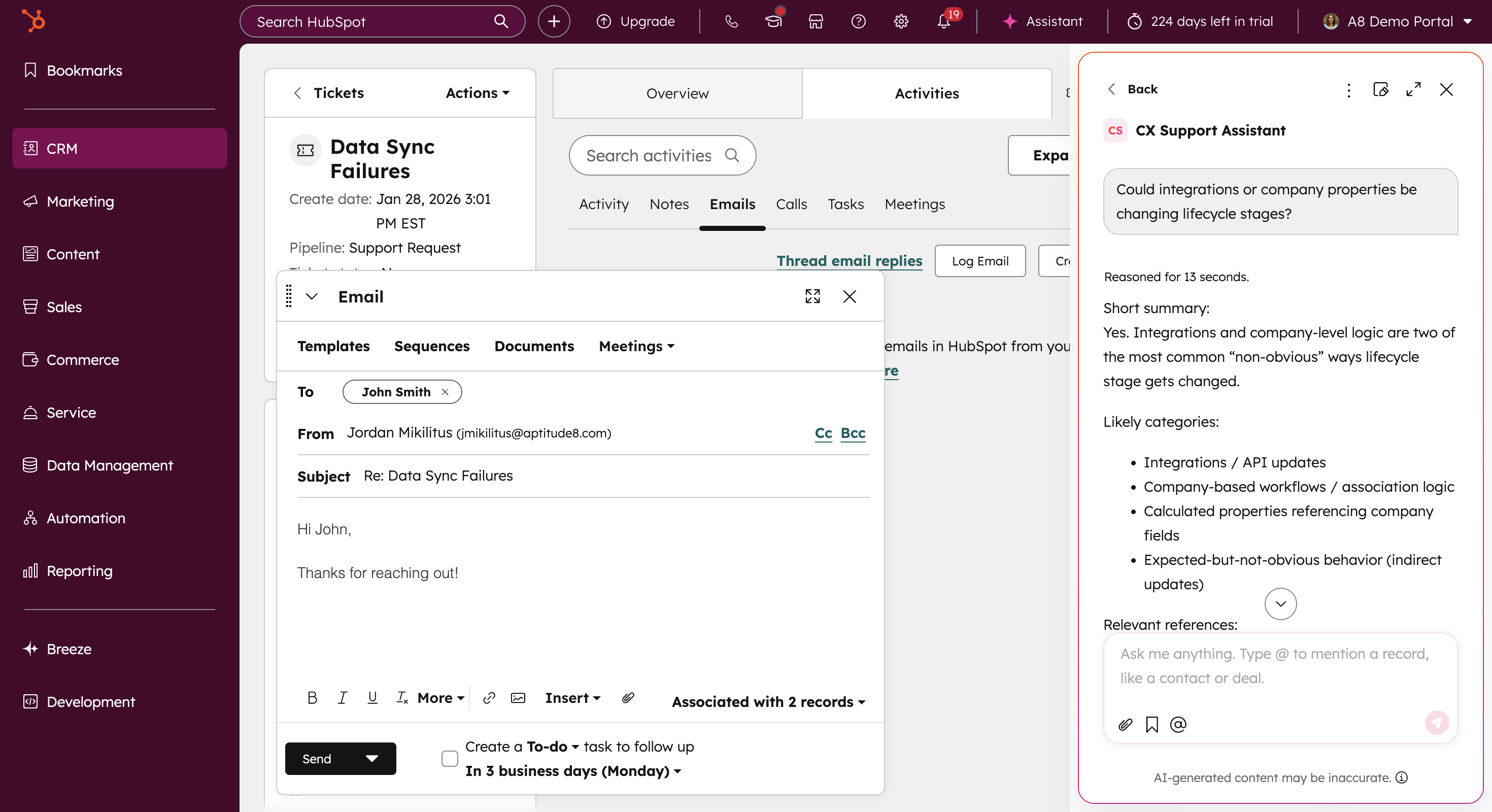
Uses an in-ticket AI assistant to answer rep questions in real time while they draft their response.
Surfaces likely causes, troubleshooting steps, and relevant context the rep can quickly incorporate into their reply.
Reduces time to respond while maintaining accurate, consistent support communication.
Outcome: Repetitive questions are handled quickly, reducing ticket load while maintaining response quality.
Ready to resolve support issues faster?
See how teams use AI to capture context, route tickets intelligently, and improve resolution speed without losing visibility.
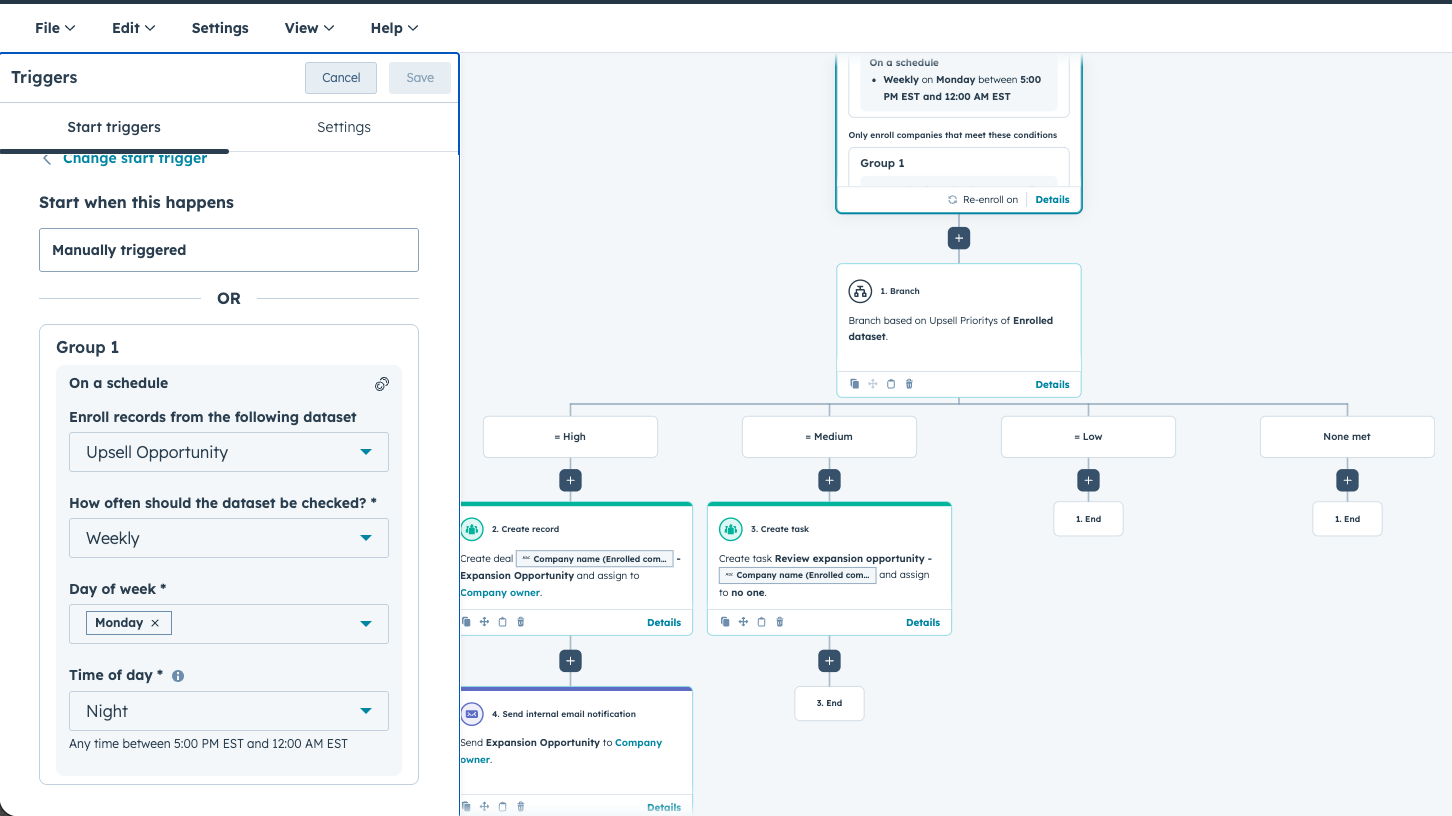
Revenue Expansion in HubSpot
How AI identifies and routes expansion opportunities at the right time
Revenue expansion stalls when product usage, account context, and ownership decisions live in separate places. Teams either miss growth signals entirely or pursue opportunities before accounts are ready.
This workflow brings product data, CRM context, enrichment signals, and AI evaluation together inside HubSpot. The result is a clear, structured approach to identifying expansion readiness, prioritizing the right accounts, and routing opportunities to the right owner at the right time.
Who this workflow is built for:
Rely on product usage to drive expansion opportunities
Struggle to identify when accounts are ready to grow
Need clearer ownership between sales and customer success
Want expansion decisions based on signals, not intuition
Core components used in this workflow:
Product Usage Data Integration
Data Agent
Enrichment Tools
Expansion Readiness Scoring
Routing Logic & Workflows
Expansion Outcomes This Workflow Delivers
Clear expansion timing and ownership
When implemented correctly, this workflow creates a signal-driven expansion motion grounded in usage and account context instead of guesswork. Teams gain visibility into readiness, prioritize the right accounts, and route opportunities with clarity.
The result is better timing, higher expansion conversion rates, and stronger coordination between sales and customer success.
How This Workflow Works in HubSpot
Combine Usage and Account Signals
Integrates product usage data directly into HubSpot and translates raw activity into meaningful expansion indicators.
Aggregates CRM data so usage is evaluated alongside lifecycle stage, revenue, relationship history, and ownership.
Enriches accounts to identify growth signals such as hiring activity, team expansion, or company momentum.
Generates an AI-backed expansion summary explaining why an opportunity may exist.
Outcome: Expansion decisions are based on complete account context instead of isolated usage spikes.
Score Expansion Readiness Clearly
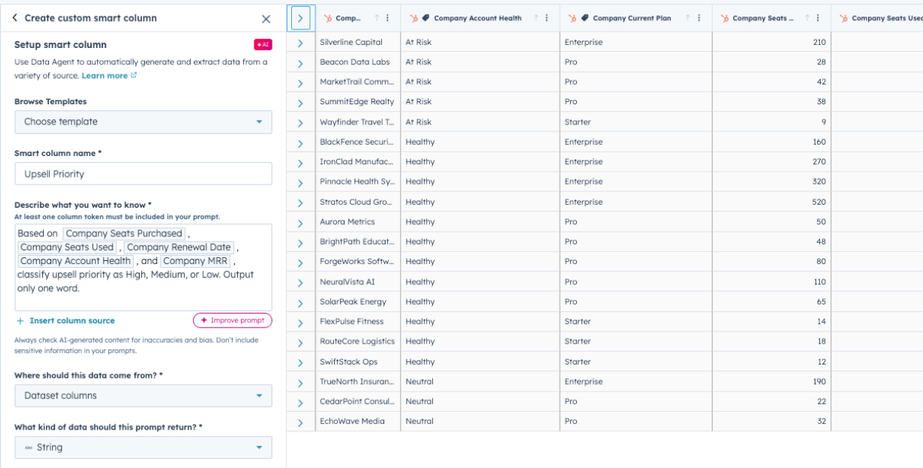
Translates combined signals into clear readiness levels such as high, medium, or low.
Distinguishes between different expansion paths, including add-ons versus tier upgrades.
Creates a shared, objective scoring model teams can use to prioritize expansion consistently.
Outcome: Teams know which accounts are ready to grow and which should be nurtured.
Route Opportunities to the Right Owner
Routes expansion opportunities based on readiness level and expansion type.
Assigns high-impact opportunities to the appropriate AE or CSM automatically.
Aligns ownership with opportunity complexity and customer lifecycle stage.
Outcome: Expansion efforts reach the right team at the right time without manual coordination.
Ready to identify expansion opportunities earlier?
Learn how teams use AI to interpret usage, assess readiness, and route expansion opportunities at the right timen.
Event Targeting in HubSpot
How AI helps teams focus on the right accounts around events
Event outreach often becomes reactive. Teams pull last-minute lists, rely on partial attendee data, or reach out broadly without clear prioritization.
This workflow uses AI inside HubSpot to identify which companies are attending relevant events, evaluate account fit and momentum, and prioritize outreach before, during, and after the event. The result is structured, signal-driven event engagement instead of manual coordination and guesswork.
Who this workflow is built for:
Invest in conferences, trade shows, or hosted events
Struggle to identify which accounts or events are worth prioritizing
Want sales and marketing aligned around event outreach
Need a repeatable way to turn events into pipeline
Core components used in this workflow
HubSpot Datasets
Smart Columns
Company Research Agent
Data Agent
Event Signal Detection Logic
Workflow Automation
Event Targeting Outcomes This Workflow Delivers
What AI evaluates before outreach begins
AI-supported event targeting depends on HubSpot’s ability to combine event signals with account context and research data. Attendance indicators, ICP fit, account ownership, and recent activity must be evaluated together to determine relevance and priority.
When these signals aren’t unified, outreach becomes generic or mistimed. Understanding AI in event targeting means understanding how HubSpot identifies which accounts are most likely to benefit from engagement around an event.
How This Workflow Works in HubSpot
Identify and Enrich Event-Relevant Accounts
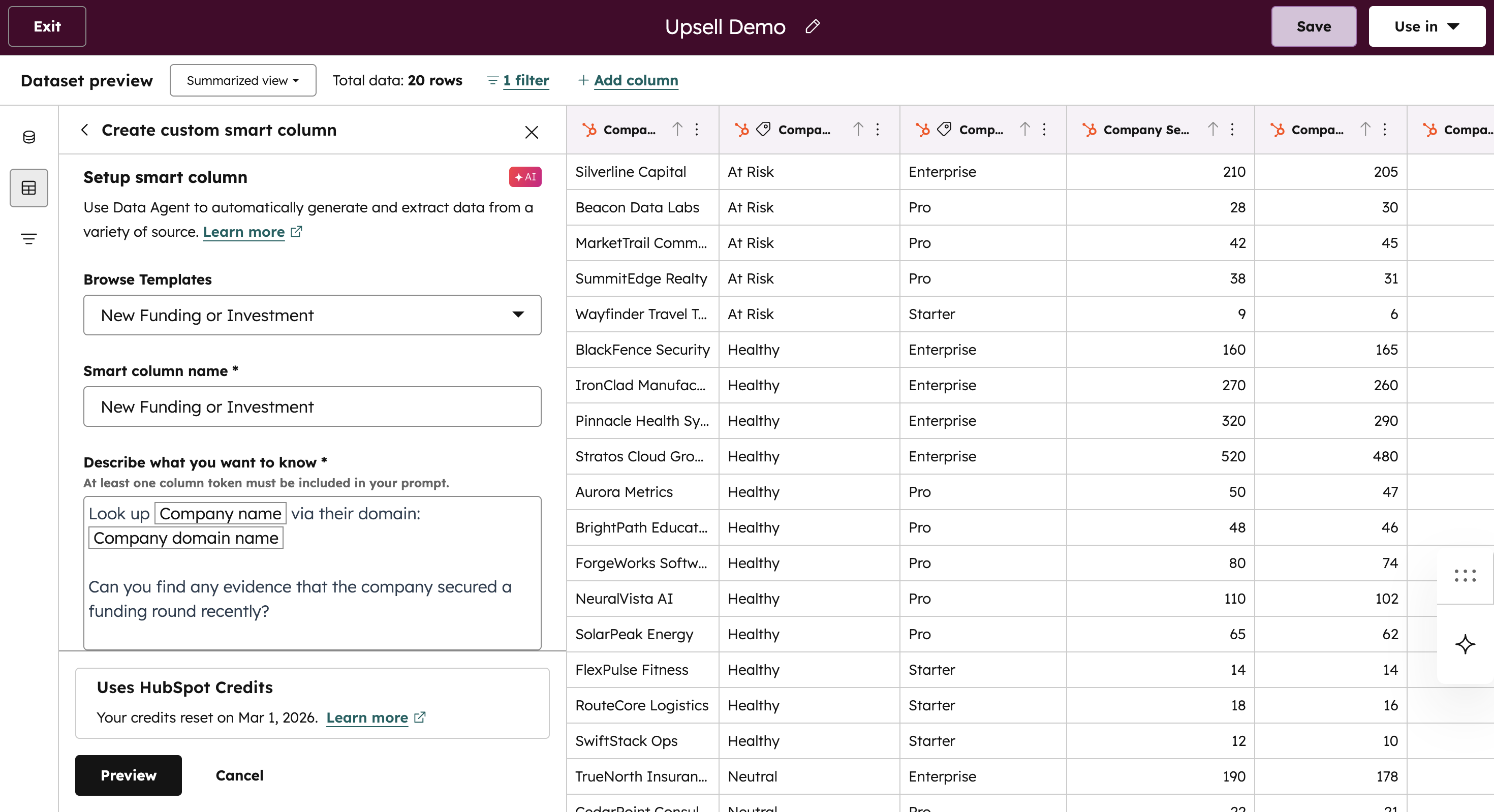
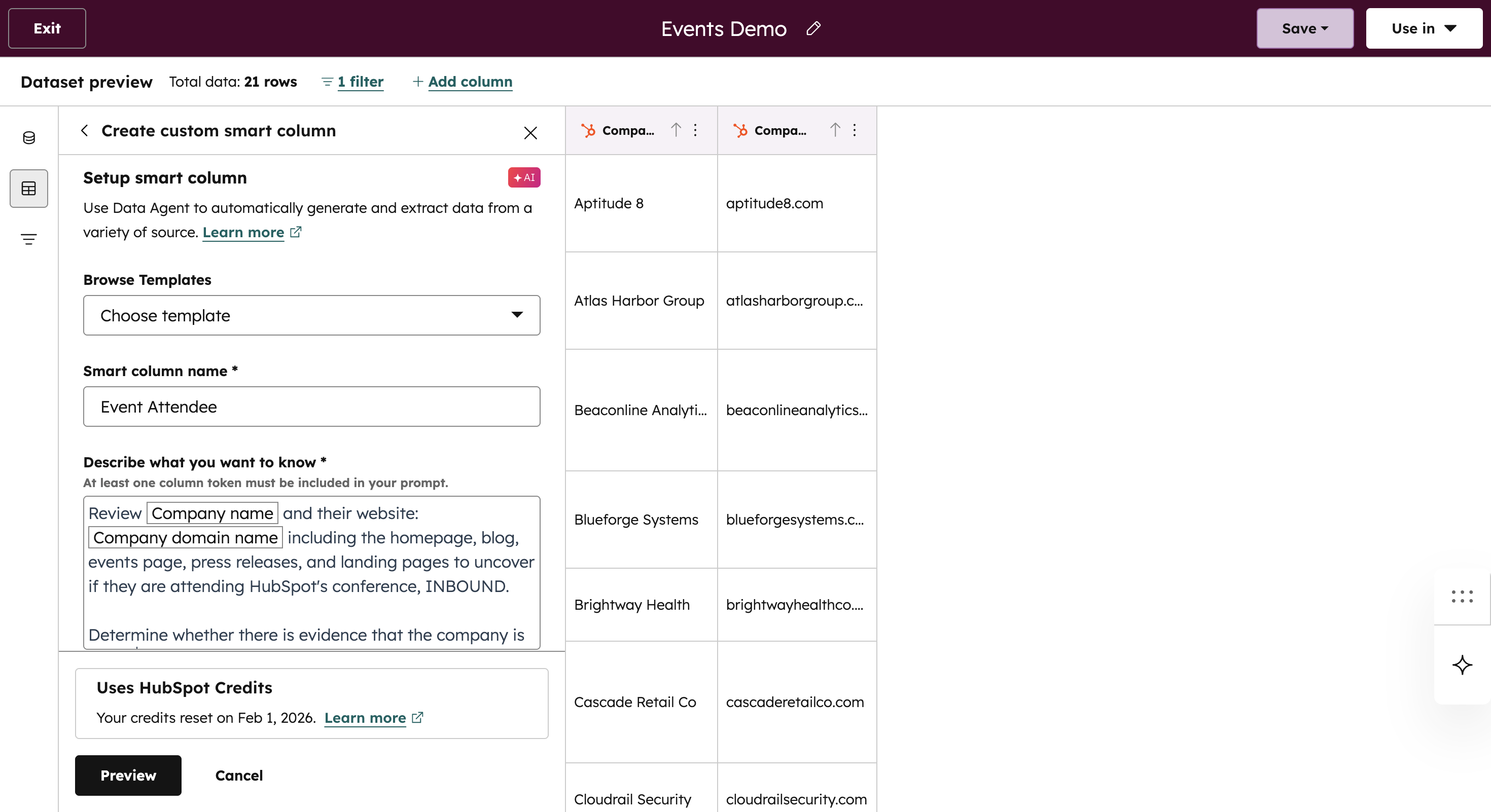
Builds event-aware company datasets by combining ICP-based lists with Smart Columns that detect event attendance using websites and public signals.
Layers CRM data such as industry, company size, account owner, and account health to ground event relevance inside HubSpot.
Enriches accounts with live research signals, including recent growth, new hires, and public event activity, to reflect current company momentum.
Outcome: Teams start with a clear, data-backed view of which companies are attending and why they matter.
Prioritizing Event Outreach by Value
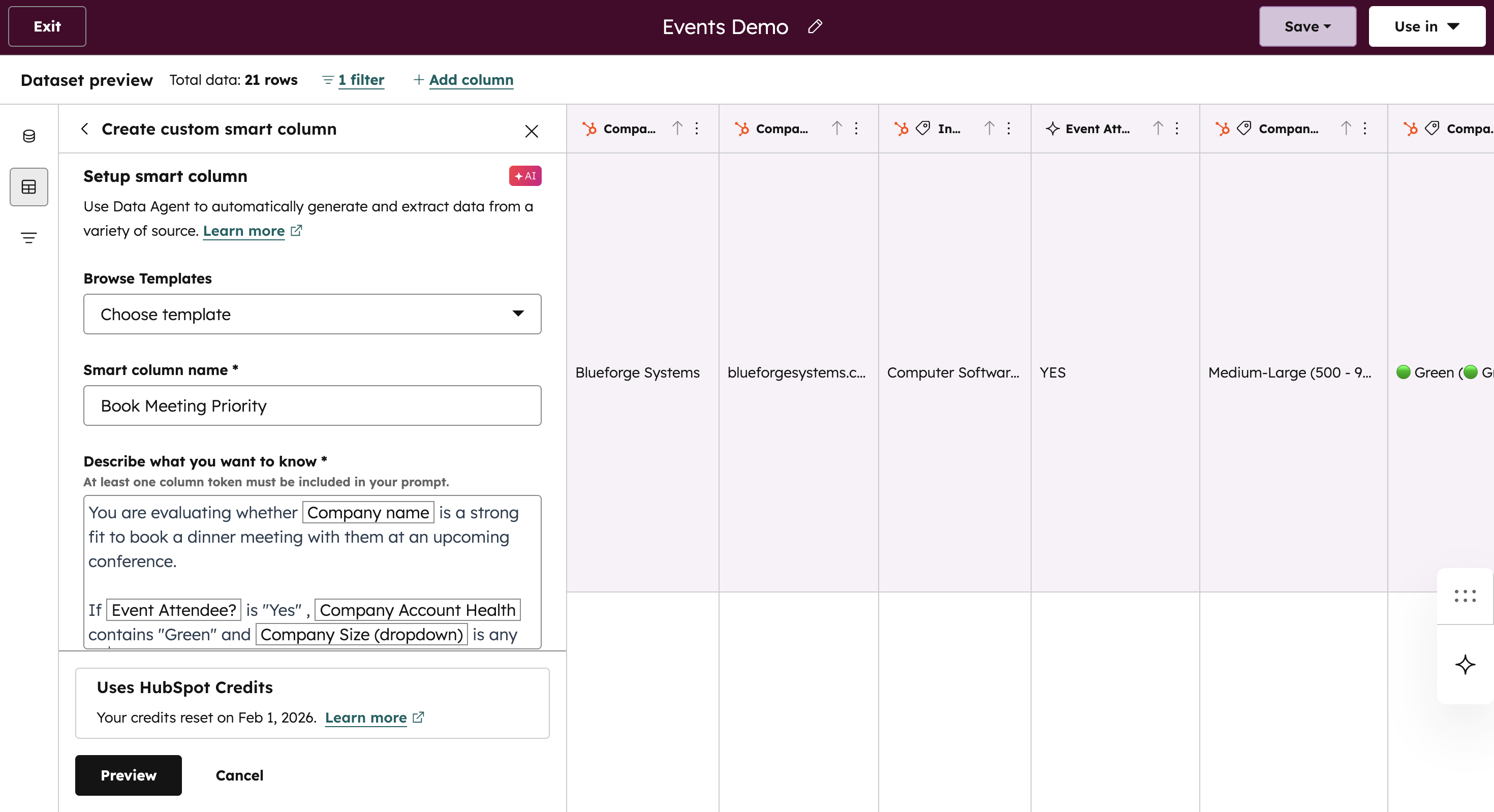
Uses Smart Columns and AI logic to evaluate fit, engagement signals, and growth indicators together.
Assigns objective priority tiers such as high, medium, or low based on opportunity strength.
Continuously updates prioritization as account signals change leading up to the event.
Outcome:
Event time and effort are focused on the accounts most likely to convert, not just the loudest or most visible attendees.
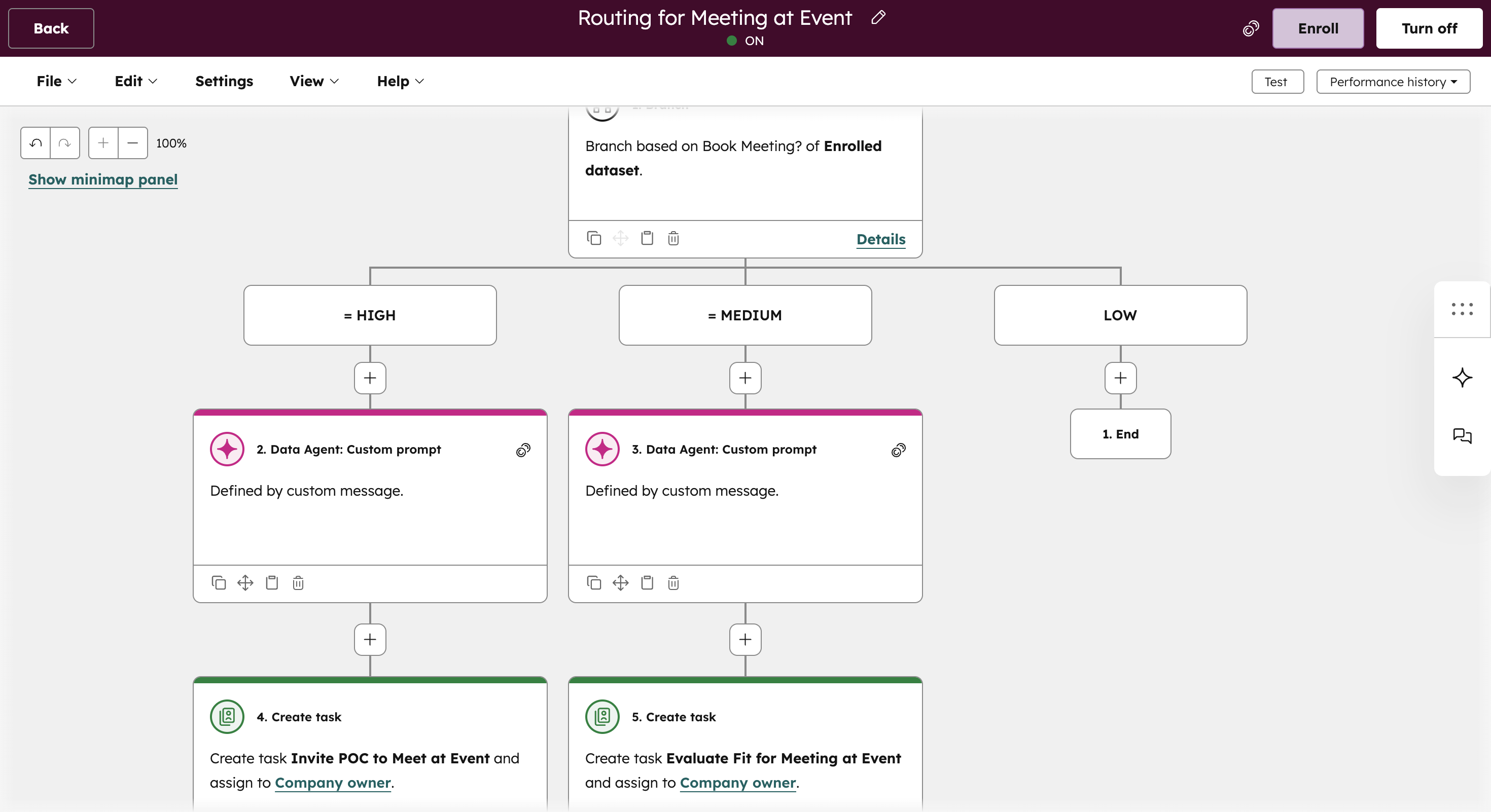
Activate Event-Based Outreach Workflows
Compiles account insights and priority tiers into a concise outreach summary for each event.
Routes high-priority accounts directly to the account owner with a personalized email draft and task.
Sends medium-priority accounts for review and places low-priority accounts into structured nurture paths.
Outcome: Outreach is coordinated, timely, and aligned to ownership, turning event presence into structured pipeline instead of reactive follow-up.
Ready to get more value from events?
See how teams use AI to identify the right accounts, prioritize outreach, and turn events into focused pipeline opportunities.
.png?width=552&height=88&name=aptitude8%20-%20standard%20-%20White%20-%20LG%20(1).png "aptitude8 - standard - White - LG (1)")
.png?width=750&height=405&name=Building%20a%20Scalable%20HubSpot%20Strategy%20(2).png)

.png)